

A free online photo enhancer uses artificial intelligence to automatically sharpen blurry images, reduce noise, improve lighting, and increase photo resolution without requiring advanced editing skills. PicWish is a strong all-around option because it can enhance portraits, product photos, old pictures, text, and anime images while supporting batch processing for up to 30 photos online. Other useful options include MyHeritage for restoring family photos, Let’s Enhance for image upscaling, Fotor for quick photo editing, and Remini for improving facial details. The best choice depends on your image type, required resolution, watermark restrictions, batch-processing needs, and the limits of each free plan.
7 Best Photo Enhancer Tools Online
- PicWish
- MyHeritage
- VanceAI
- Let’s Enhance
- Fotojet
- Fotor
- Remini
- Comparison Table: Top 7 Free Online Photo Enhancer
PicWish – 100% FREE
First on the list is PicWish, an easy-to-use yet powerful free online photo enhancer that turns blurry or low-quality images into clearer and sharper results automatically upon image upload. There is no need for long waiting time, manual editing skills, or advanced technical skills. Aside from that, it also offers Remove Background, AI Background, Remove Object, AI Designer, and Restore Old Photo. PicWish delivers fast results with an easy-to-use interface.
Key Features
- Its Enhance Photo feature has different enhancement model where users can choose: General, Face, Text, Anime, AI, and V2
- Offers batch processing wherein users can upload and enhance up to 30 images at once.
- Provides a Colorize option for black-and-white blurry photos.
- Users can further enhance their image as it has Beautify filters: Standard, Glam, Natural, Smooth, and Lighten.
Pros
- Beginner-friendly process and easy to navigate user interface
- Hassle-free and fast output
- Its Colorize option gives accurate colors, if not, close to original
- Free plan includes no watermark upon download of the free image result
Cons
- Requires login to download the free image
- HD image downloads and bulk edits often require paid credits.
- Lacks advanced editing/customization tools compared to professional editing software.
Follow this guide to enhance your blurry photo with PicWish:
- Open your browser and visit PicWish’s Photo Enhancer page.
- Click Upload Image to import photo from your computer library.
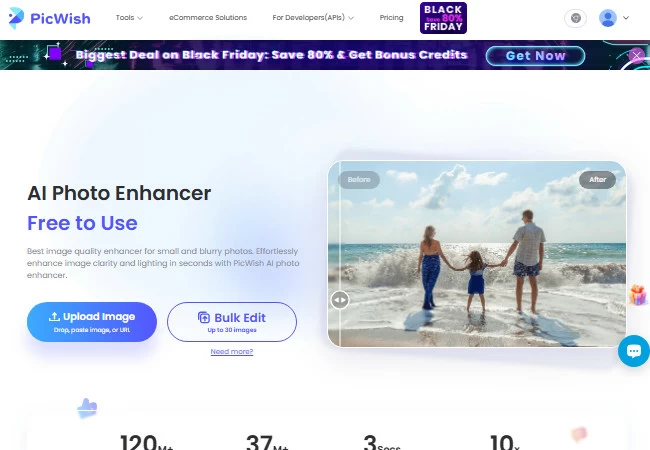
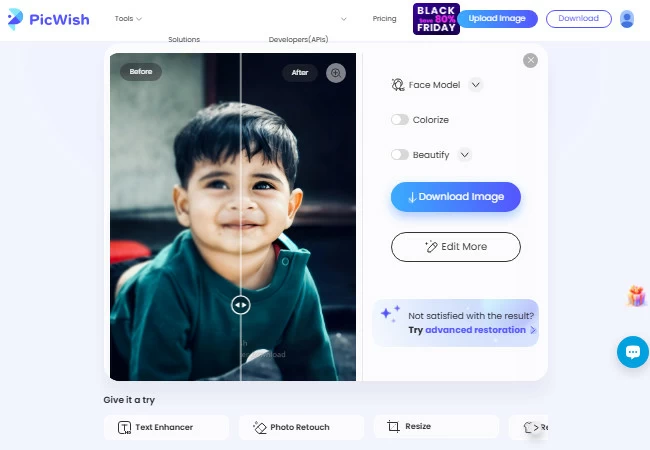
- The tool will automatically process the photo showing you the original and enhanced part of your photo.
- Once satisfied with the result, hit the Download button.
![picwish enhanced image result]()
My Heritage
MyHeritage, from the name itself, primarily focuses on restoring and enhancing old and damaged photos. It can handle both colored and black-and-white images, enhancing them easily with AI. There is no difficult learning curve in using this free online photo enhancer as its process is straightforward and its user interface is well-organized.
Key Features
- Offers Colorize option for old and not colored photos
- It has a Repair feature that both sharpens and colorizes black-and-white image
- One of its notable tool is its Deep Nostalgia™ which animates or put photos in motion by creating short video clips from still portrait photos
Pros
- Easy to navigate user interface
- Adds emotion in image animations
- Offers free, though, limited usage of photo enhancement
Cons
- Free download comes with watermarks
- The Colorize option is not always accurate, and the colors it generates can look overly sharp or unnatural
- Its Repair feature might not work on certain old photos that has wrinkles and scratches
- Full access requires a paid subscription
Rely on the steps below to successfully enhance your photo quality:
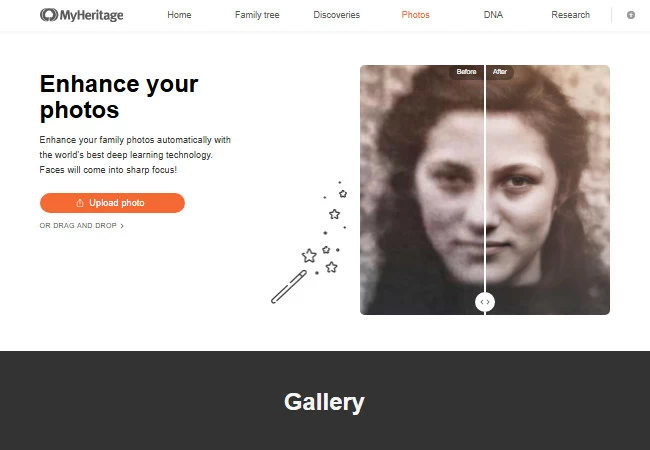
- Visit the official web page of My Heritage tool.
- Click the Upload photo button to get the blurry photo.
![myheritage enhance photo homepage]()
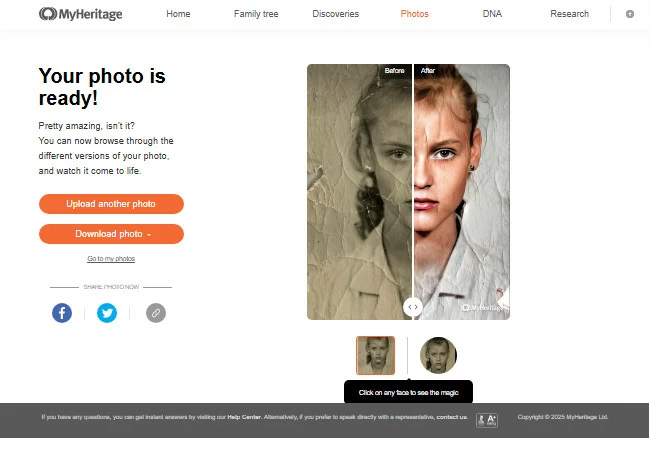
- Wait for a few seconds to see the processed result.
- Finally, click “Download photo” to save the result.
![myheritage enhanced image result]()
VanceAI
Vance AI is another tool that can enhance photos automatically with the use of AI through its Sharpen feature. The only difference between this tool and the others in this list is that it is only accessible by downloading and installing it. Aside from Sharpen, Vance AI also offers Denoise and AI Old Photo Restorer which can also both enhance and preserve the details of a blurry or damaged photo.
Key Features
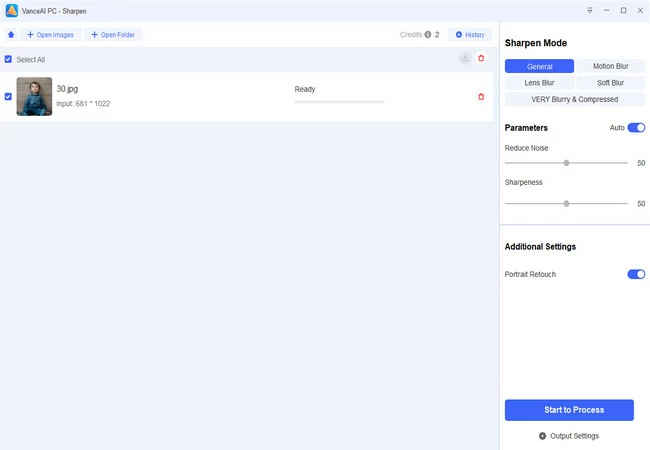
- Provides different Sharpen mode: General, Motion Blur, Lens Blur, Soft Blur, and VERY Blurry & Compressed
- Users can adjust the Reduce Noise and Sharpness parameters based on their liking. If users are not sure of the parameters, there is an Auto button that they can activate.
- Offers batch processing
Pros
- Upon download and installation, there will be 3 free credits given
- There is no login required in its free version
Cons
- Users must download and install the software before using it.
- Free access or free credits are limited, full access requires a paid subscription or credits.
- Processing high-resolution or complex images can be slower (especially with advanced features).
Here are the steps that you need to enhance your photo quality:
- Download and install Vance AI on your computer, then launch the app.
- Next, select Sharpen.
![vance ai homapage desktop app]()
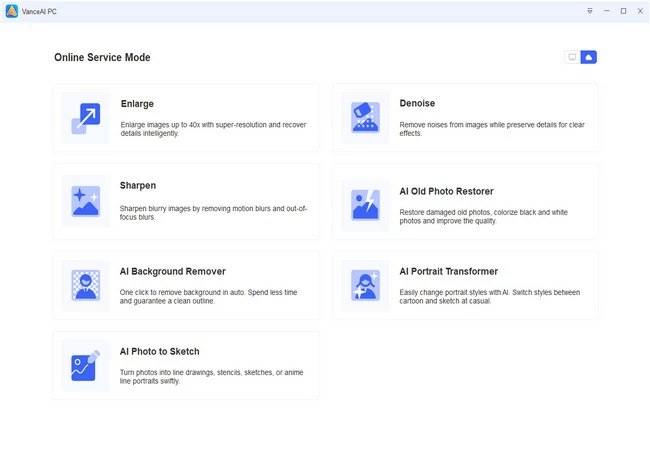
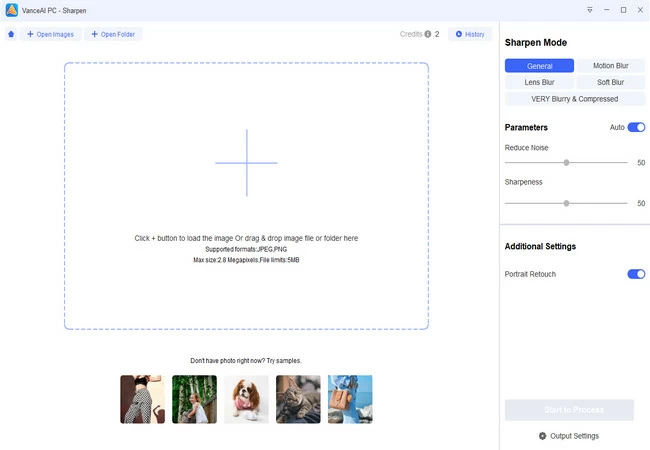
- From there, click the + button to upload your image.
![vance ai upload image page]()
- Set the image to the level that your photo needs, click “Start to Process” afterwards.
- Once done, click the “Download” button.
Let’s Enhance
Fourth on the list is Let’sEnhance, a free online photo enhancer tool built for upscaling images up to 16x. It automatically fixes lighting, color, and pixelation. If you need small images converted into large-format, high-resolution outputs, this platform nails that requirement consistently.
Key Features:
- Provides different enhancement styles: Gentle, Balanced, Strong, Ultra, Digital art, Old Photo, and Try all which lets users compare different enhancement styles (costs 3 credits per 5 outputs).
- Its enhancement styles offers different size options
- Presets for printing, posters, and international papers are also offered by Let’sEnhance
- Users can also try Image Generator, Chat Editor, and Image to Video
Pros:
- Excellent quality for large prints and professional use
- Great color and texture preservation
- Supports batch processing for faster workflows
Cons:
- No permanent free plan, only free trial credits
- Can sometimes over-smooth portraits
Here are the simple steps for you to create a high resolution photo:
- Look for the official page of the online tool.
- Then, drag and drop the photo on the interface.
![letsenhance upload page]()
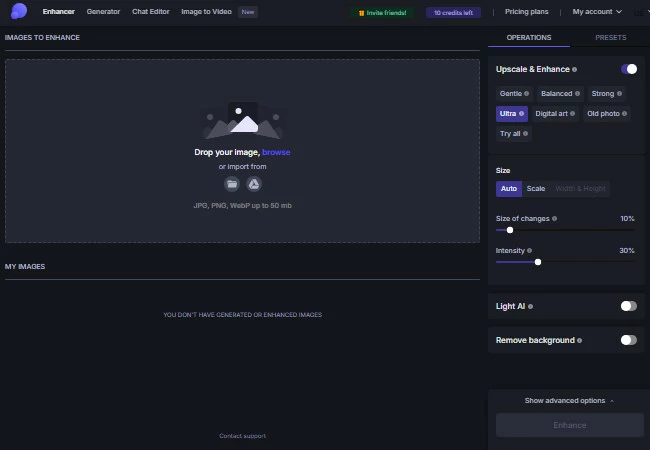
- Once your image is uploaded, choose an enhancement style on the upper right corner of your screen then click Enhance.
![choose enhancement style and click enhance]()
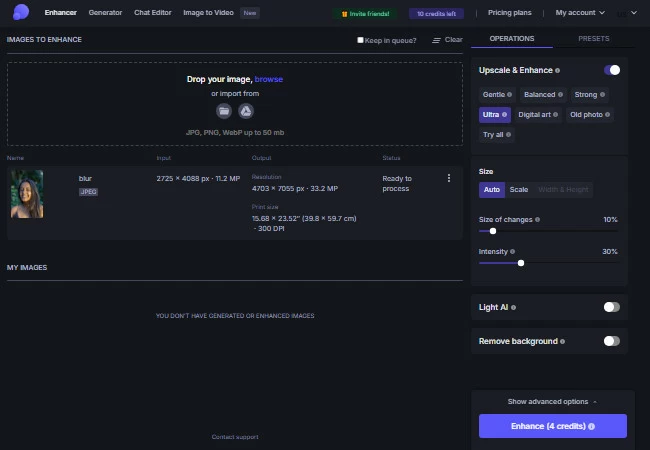
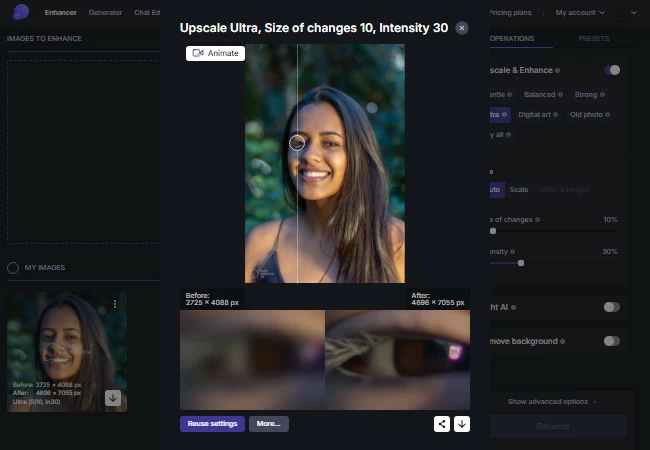
- Once the enhancement process is finished, click on the image to enlarge and check it. If you are satisfied with the result, click the download button.
![letsenhance image result]()
Fotojet
FotoJet is more of an all-in-one creative tool than a pure AI enhancer. It offers basic enhancement options along with a photo editor, collage maker, and thousands of templates for quick graphic designs. If you want simple fixes plus ready-made layouts for social media posts, cards, or invites, FotoJet keeps everything in one tab without needing to sign up.
Key Features:
- It has a one-click auto enhance option
- Offers basic editing tools like Crop, Resize, Rotate, Exposure, Color, Sharpen, Dehaze, Vignette, Noise, Focus, and Color Splash.
Pros:
- No registration needed for basic use
- Very beginner-friendly for quick designs
- Fun and versatile with lots of templates
Cons:
- Some images only get brightened, not sharpened or unblurred, so the details may still look unclear.
See the steps below to have a high-quality photo:
- Start by visiting the official page of the online tool and select the Edit a Photo button.
![fotojet homepage click edit a photo]()

- Next, click Open on the upper part of your screen then select Computer to upload your photo.
![fotojet upload image from computer]()
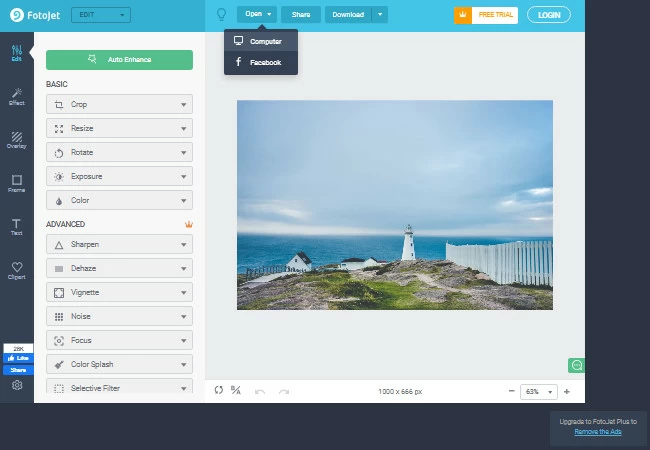
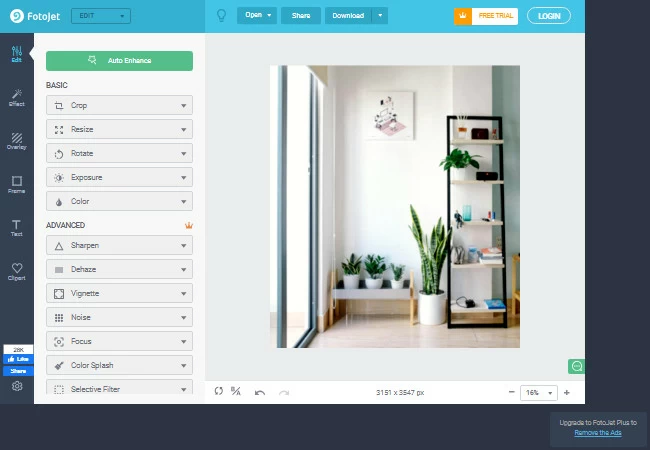
- Hit the Auto Enhance button on the upper left part of your screen to process your image.
- Once fixed, click the Download button.
![fotojet image result]()
Fotor
Fotor is an all-in-one photo editor with a free AI photo enhancer and basic editing tools. With one click, it improves sharpness, lighting, and colors, making it ideal for casual users and content creators. While it’s not as powerful as advanced AI upscalers, it works well for everyday photo editing.
Key Features:
- It has a Compare icon that lets you temporarily view the original image when you click and hold it.
- Offers a wide variety of basic photo editing, remover, generator, filter, replacer, and marketing tools.
- Supports different file formats: JPG, JPEG, PNG, HEIF, HEIC, and WebP
Pros:
- No login requirement for basic use
- Beginner-friendly interface with minimal learning curve
- Offers both enhancement and creative editing features
- Great for fast, everyday edits for online content
Cons:
- Uploading large or high-resolution images can fail due to file size restrictions.
Here’s a simple process to upgrade your image quality:
- Visit Fotor’s AI Image Enhancer.
- Click Enhance Photo to upload your image. After that, Fotor’s AI will automatically process your image.
![fotor click enhance photo to upload]()

- Once finished, check the box for human verification to show the image result.
![check box for human verification fotor]()

- Lastly, click the Download button.
![fotor enhanced image result]()

Remini
Remini is a free online photo enhancer that focuses on improving faces in blurry or low-quality photos. It works especially well for portraits and old images by making facial details clearer, and the enhancement process is fully automatic and easy to use.
Key Features:
- Offers batch processing of up to 15 images at once.
- Its enhancement tool includes an AI toolbar with Face Enhancement, Background Enhancement, and Color Correction, giving users some control over the enhancement process.
Pros:
- Users do not need to login upon use of the Photo Enhancer.
- Simple and fast processing of blurry photos
- Easy to navigate
Cons:
- Image results have watermark upon enhancement and download
- The enhancement can sometimes appear overly processed
Use these simple steps to enhance your photo to high resolution:
- First, go to Remini’s AI Photo Enhancer site. Once you’re there, click Try Remini.
![remini homepage click try remini]()

- Select Choose files to upload your image. Upon upload, the AI will automatically enhance your photo.
![remini click choose files to upload]()

- Once satisfied with the result, click Download.
![remini enhancement page image result]()

Comparison Table: Top 7 Free Online Photo Enhancer
| Criteria | PicWish | MyHeritage | VanceAI | Let’sEnhance | FotoJet | Fotor | Remini |
|---|---|---|---|---|---|---|---|
| Ease of Use | Very easy; beginner-friendly; automatic | Extremely simple; straightforward | Moderate; requires installation; manual sliders | Easy; preset-based workflow | Extremely easy; no signup | Very easy; beginner-friendly; minimal learning curve | Very easy; automatic; simple for portraits |
| Enhancement Quality | Strong sharpening; multiple models; accurate colorize | Good old-photo restoration; colorize can look too sharp; repair may fail on heavily damaged photos | Strong sharpening; multiple blur modes; great for motion blur | Excellent upscaling up to 16×; great color/texture; may over-smooth faces | Basic; often brightens but doesn’t sharpen or clarify details | Improves sharpness, lighting, colors; good for everyday edits | Focuses on faces; clears facial details; can sometimes appear over-processed |
| Processing Speed | Fast | Fast | Fast | Fast | Fast | Fast | Fast |
| Free Plan / Limits | Free downloads no watermark; login required; HD/bulk needs credits | Limited free use; free downloads have watermark; subscription for full access | 3 free credits; no preview; free version cannot download | No permanent free plan; credit-based | Most basic tools free; some templates locked | Free basic use; large images may fail | Free; results include watermark; batch up to 15 images |
| Output Resolution | HD (higher quality paid) | Good but limited under free plan | High resolution (paid) | Very high (up to 16× upscaling) | Standard | Standard; dependent on file size | High for portraits; limited by watermark in free plan |
| Batch Processing | Yes (up to 30 images) | No | Yes | Yes | No | No | Yes (up to 15 images) |
| Extra Tools | BG Remover, AI Background, Remove Object, AI Designer, Beautify, Old Photo Restore | Deep Nostalgia, Colorize, Repair | Denoise, Old Photo Restorer | Print presets, Image Generator, Image to Video, Chat Editor | Collage maker, templates, graphic design | Compare original, basic editing, remover, generator, filters, file format support | AI toolbar: Face Enhancement, Background Enhancement, Color Correction |
| Platform | Web | Web | Desktop app | Web | Web | Web | Web |
FAQ
📌 What is the best free online photo enhancer?
PicWish is one of the best free online photo enhancers for users who want a simple, automatic solution. It can improve blurry portraits, product images, old photos, screenshots, text, and illustrations while offering several enhancement models for different image types.
📌 Can I enhance a blurry photo online for free?
Yes. You can upload a blurry or low-resolution image to a free online photo enhancer and let AI improve its clarity automatically. The best results are usually obtained with slightly blurry, compressed, noisy, or poorly lit photos rather than images where the original details are completely missing.
📌 How does an AI photo enhancer work?
An AI photo enhancer analyzes the pixels, edges, textures, colors, and lighting in an image. It then reduces noise, sharpens visible details, corrects common quality problems, and may generate additional pixels to increase the image resolution.
📌 Can PicWish increase photo resolution?
Yes. PicWish can improve image clarity and upscale standard images toward 4K resolution. The maximum output size of the standard photo enhancer is currently 4096 pixels, while specialized upscaling tools may be more suitable for larger printing projects.
📌 What types of photos can I enhance?
Online photo enhancers can be used for portraits, selfies, product photos, property listings, old family pictures, social media images, screenshots, anime artwork, gaming images, and photos containing blurry text. Choosing a model designed for the specific image type generally produces more natural results.
📌 Can I enhance multiple photos at once?
Yes. PicWish supports batch photo enhancement for up to 30 images at once through its online tool. Batch processing is especially useful for online sellers, photographers, social media teams, and users working with large collections of similar photos.
📌 Is PicWish completely free to use?
PicWish currently provides five free standard photo enhancements per day. Advanced AI models, higher-resolution exports, larger processing limits, and some additional editing features may require credits or a paid plan.
📌 Will an online photo enhancer make my image look unnatural?
A photo enhancer can sometimes produce unnatural textures when the enhancement level is too strong or when the original image contains very little detail. Preview the result carefully and choose an enhancement model adapted to portraits, text, anime, old photos, or general photography.
📌 Can I use enhanced photos for product listings and social media?
Yes. Enhanced images can be used to create clearer product listings, social media posts, presentations, profile photos, advertisements, and website visuals. Before using an image commercially, make sure that you own the original image or have permission to use it.
📌 Is it safe to upload photos to an online enhancer?
Use a trusted platform and review its privacy policy before uploading personal or confidential images. Avoid uploading identity documents, private records, or sensitive photographs unless the service clearly explains how uploaded files are stored and deleted.
Conclusion
These 7 photo enhancer tools can definitely give you satisfying results. But if you are looking for an online tool that you can use 100% FREE, PicWish is the best online photo enhancer for you. With its user-friendly interface, you can easily do your task. But it is still up to you which one you will use. Share your experience by leaving your comment below.




Leave a Comment