
Getting rid of the background from your photos one by one can be an incredibly time-consuming and stressful task. If you are handling product photography, managing e-commerce listings, or running extensive marketing campaigns, you need a faster, more scalable solution – a bulk background remover to help you save time and effort.
To help you streamline your creative workflow, we have tested and collected the best tools that allow you to process multiple photos, apply the same background design, and save them all in a transparent format at once. In this comprehensive guide, we will explore the top batch background remover tools available today and help you choose the right one for your specific needs.
Why Do You Need a Bulk Background Remover?
In the fast-paced digital world, time is money. Manually tracing paths around subjects using traditional photo editing software can take several minutes per image. When you multiply that by hundreds of photos, the manual process becomes a significant bottleneck.
This is exactly where a bulk background remover comes into play. By leveraging advanced Artificial Intelligence (AI), these tools can automatically detect the main subject, separate it from its surroundings, and output clean edges in mere seconds. Here is how different industries benefit from these tools:
- E-Commerce Sellers: Online marketplaces like Amazon, Shopify, and eBay require product images to have pure white or transparent backgrounds. A reliable bulk image background remover allows sellers to standardize their entire product catalog in one click, drastically improving store aesthetics and conversion rates.
- Photographers & Designers: Professionals often return from photoshoots with hundreds of raw files. Being able to process them simultaneously leaves more time for creative editing and composite work rather than tedious manual masking.
- Social Media Marketers: Creating engaging visual content often requires placing subjects against vibrant, trendy backdrops. Batch processing ensures a consistent visual identity across multiple campaigns.
Top 5 Tools for Batch Background Removal
Here is our handpicked list of the most effective web-based tools to automate your image editing workflow.
PicWish – Best Overall for Heavy-Duty Processing
When it comes to handling massive amounts of data with flawless precision, PicWish stands out as the ultimate bulk background remover. Powered by state-of-the-art AI technology, PicWish automatically detects complex subjects—including hair, fur, and intricate product edges—and deletes their backgrounds with incredible accuracy.
It is built for heavy-duty tasks, easily allowing you to process large volumes of images simultaneously without crashing. Beyond just removing backgrounds, it is an all-in-one productivity suite. You can batch resize multiple images, adjust padding, and replace backgrounds with solid colors or custom templates instantly. If you are looking for a highly efficient and free background remover for multiple images, PicWish is the top tier.
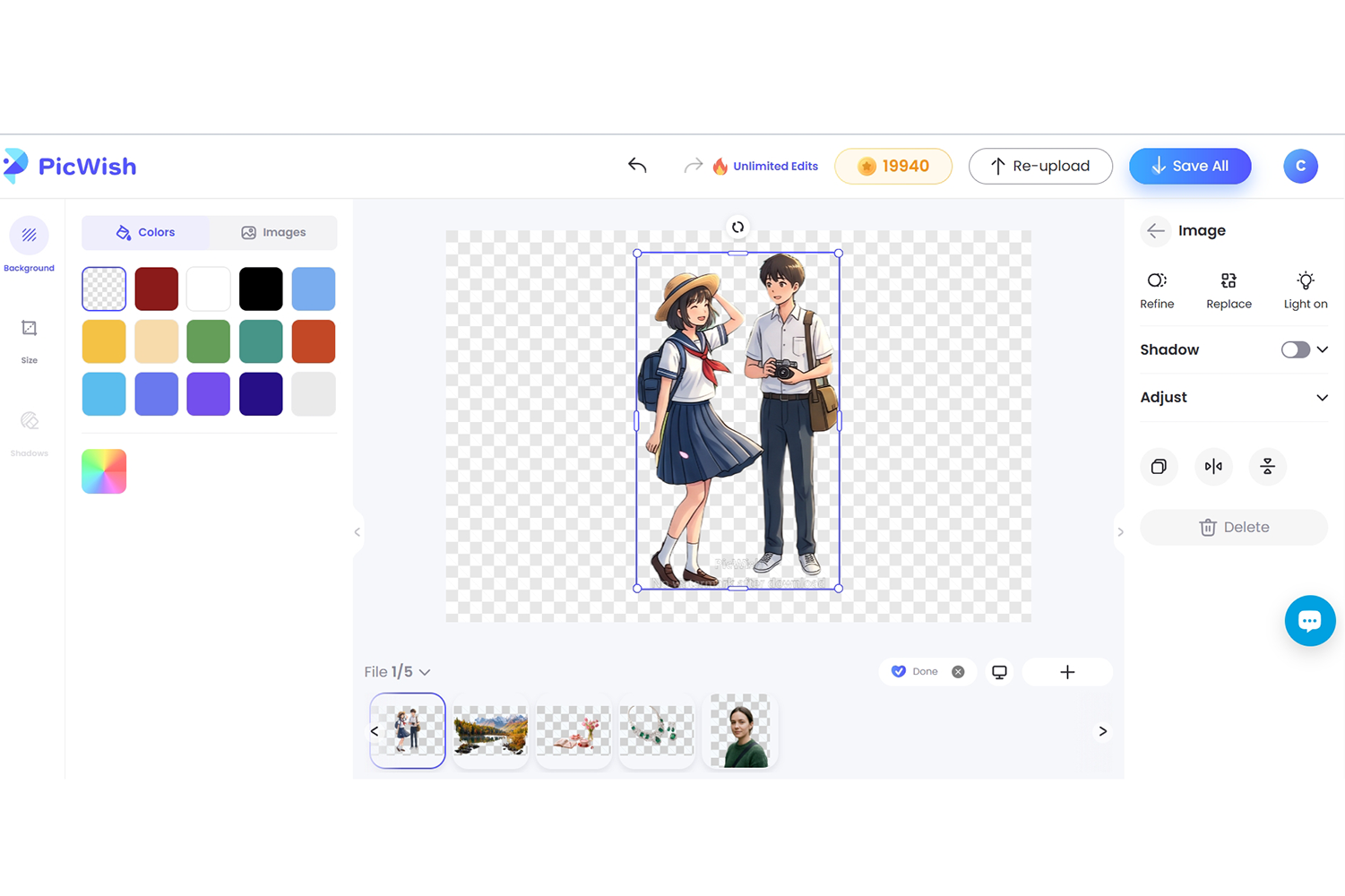
Key Features:
- Auto-detects and isolates complex subjects (like blowing hair and hollow objects) with pixel-level precision.
- Built-in batch resizing and auto-cropping tailored for e-commerce guidelines.
- Smart AI shadow generator to add natural drop shadows to multiple products instantly.
Pros:
- Maintains the original high resolution of your images without quality loss.
- Built-in retouch tools to further edit the images.
- Intuitive, clutter-free interface with absolutely no steep learning curve.
Cons:
- Requires a stable internet connection for uploading massive batches smoothly.
- The built-in backgrounds consist only of solid colors.
- The free tier has credit limitations for extremely large commercial batches.
BatchRemover – Best for Simple, Quick Cutouts
If you are looking for a straightforward, no-frills online tool, BatchRemover (batchremover.com) is a practical choice. It focuses entirely on doing one thing right: stripping away backgrounds from a pile of images as fast as possible.
For users who just need a bulk background remover free of complicated settings, this website offers a clean drag-and-drop area. It skips the heavy editing suites and goes straight to the cutout process, making it ideal for absolute beginners or users in a rush.
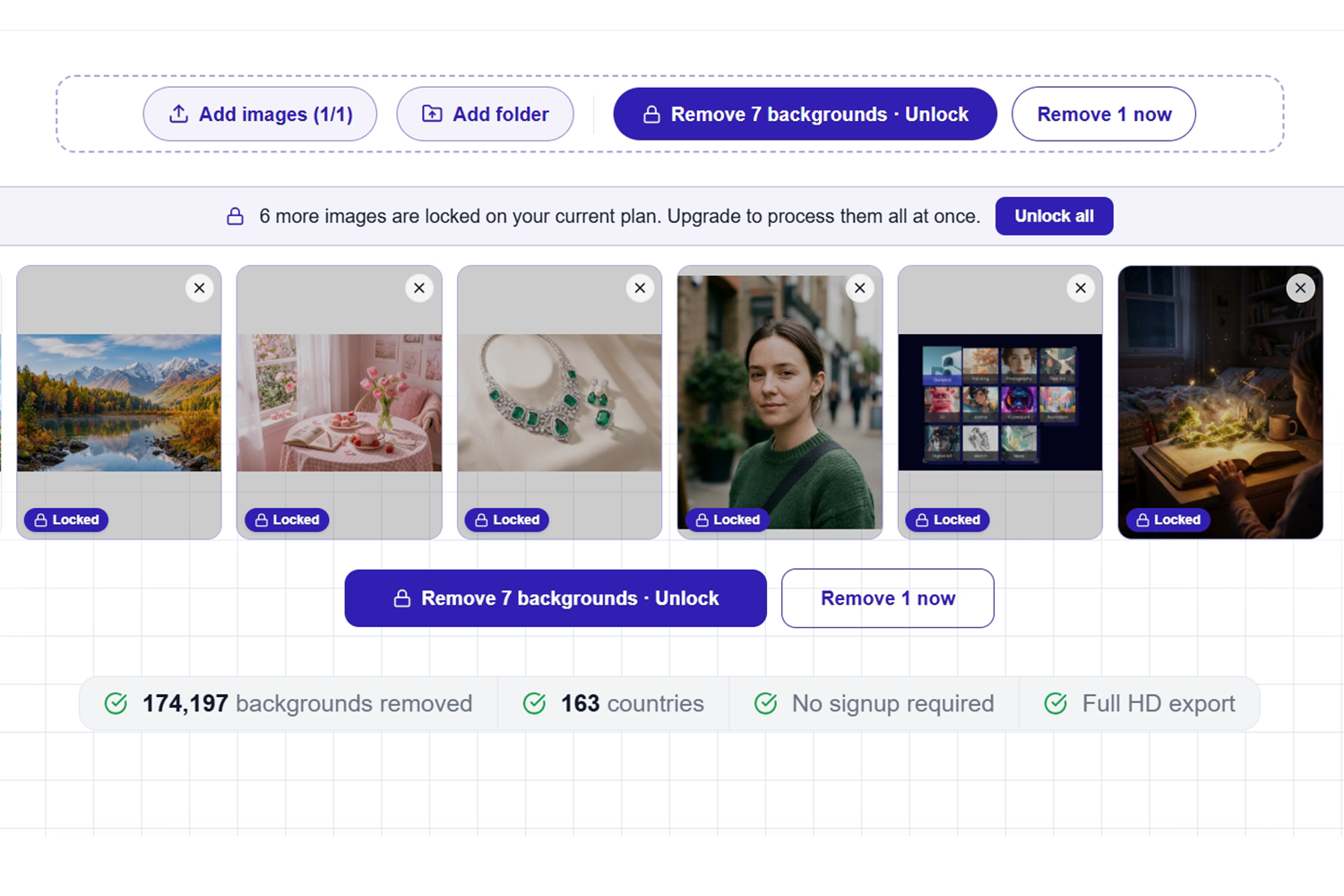
Key Features:
- Minimalist drag-and-drop workspace that supports JPG, PNG, and WebP formats.
- Instant ZIP file compilation for downloading all processed images in one click.
- Automatic background color neutralization for poorly lit photos.
Pros:
- Supports processing up to 40 images simultaneously.
- Allows you to change image size in one click.
- No sign-up required.
Cons:
- No free trial for batch processing.
- The user interface looks a bit outdated compared to modern SaaS platforms.
- The AI struggles slightly with low-contrast images where the subject blends into the background.
Backgroundless – Best for Automated Workflows
Backgroundless is a powerful online solution specifically engineered to handle the background remover bulk process with high efficiency. What sets this tool apart is its focus on streamlining the workflow for teams and agencies that deal with continuous streams of visual content.
As a highly capable bulk image background remover, Backgroundless utilizes asynchronous processing. This means it can handle massive workloads quietly in the background without forcing you to stare at a loading screen.
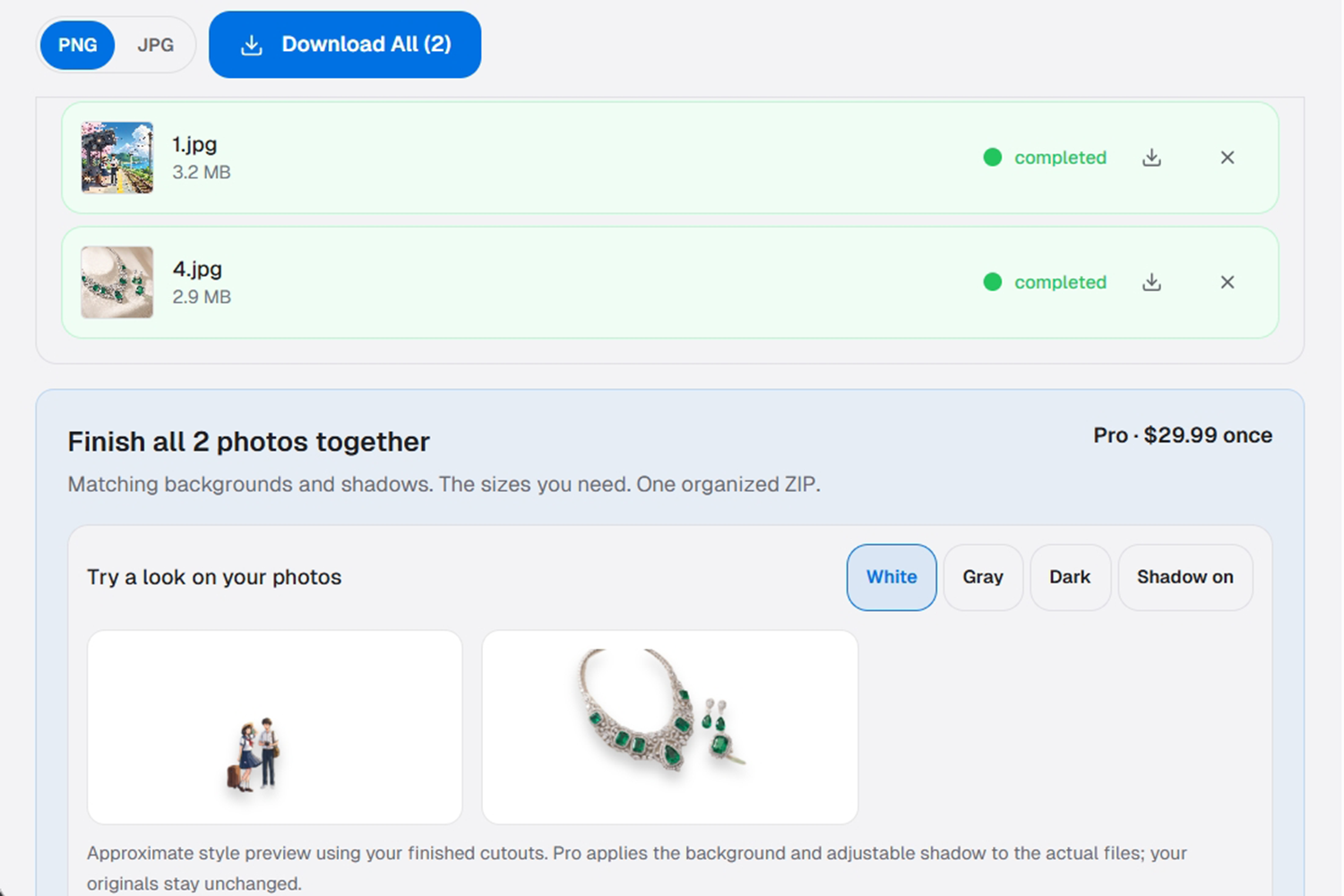
Key Features:
- Asynchronous batch processing that allows you to close the tab and get notified when the batch is ready.
- Auto-centering and margin alignment algorithms to perfectly standardize product placements.
- Custom export settings to automatically define naming conventions for your downloaded files.
Pros:
- Excellent concurrency handling, processing dozens of images simultaneously rather than in a slow queue.
- Allows up to 100 images for batch processing at one time.
- Provides webhook integrations for advanced users to automate their data pipeline.
Cons:
- Lacks built-in creative design assets, such as stock background templates or scenic backdrops.
- Throttled processing speeds in the free version.
- Some of the images may fail to get background removed.
Foco Clipping – Best for E-Commerce Standardization
Foco Clipping is a reliable online tool that you may rely on to delete backgrounds from your photos directly within your browser. It supports standard image formats and allows you to upload batches effortlessly.
What makes Foco Clipping a notable batch background remover is its strict dedication to online sellers. Besides giving you transparent results, this platform provides preset cropping sizes tailored specifically for major e-commerce platforms, including Amazon, Shopee, Lazada, and Etsy.
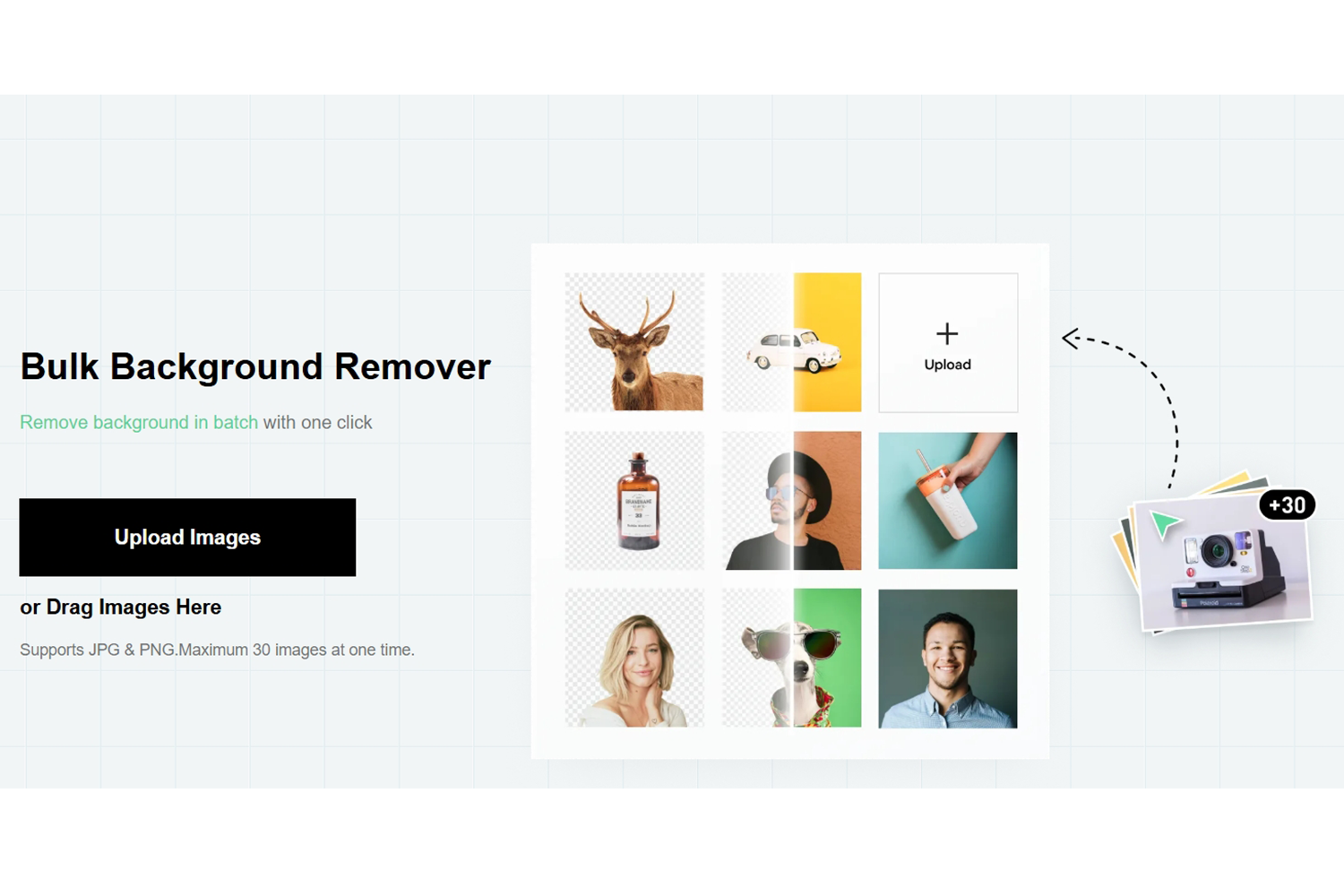
Key Features:
- Smart cropping presets that automatically align with global e-commerce size standards.
- Manual “keep and erase” brush tools for fine-tuning the AI’s cutout results.
- Interactive side-by-side preview mode to compare the original and edited images.
Pros:
- Maximum 30 images at one time.
- Allows detailed manual corrections if the AI misses a tiny spot on a complex product.
- Offers relatively generous file size limits for uploading high-quality photos.
Cons:
- The web interface may experience lag when processing more than 20 high-res images at once.
- Occasional minor bugs can occur during the final ZIP export process.
- The website frequently shows intrusive prompts to upgrade to premium plans.
BgEraser – Best for Detailed AI Cleanup
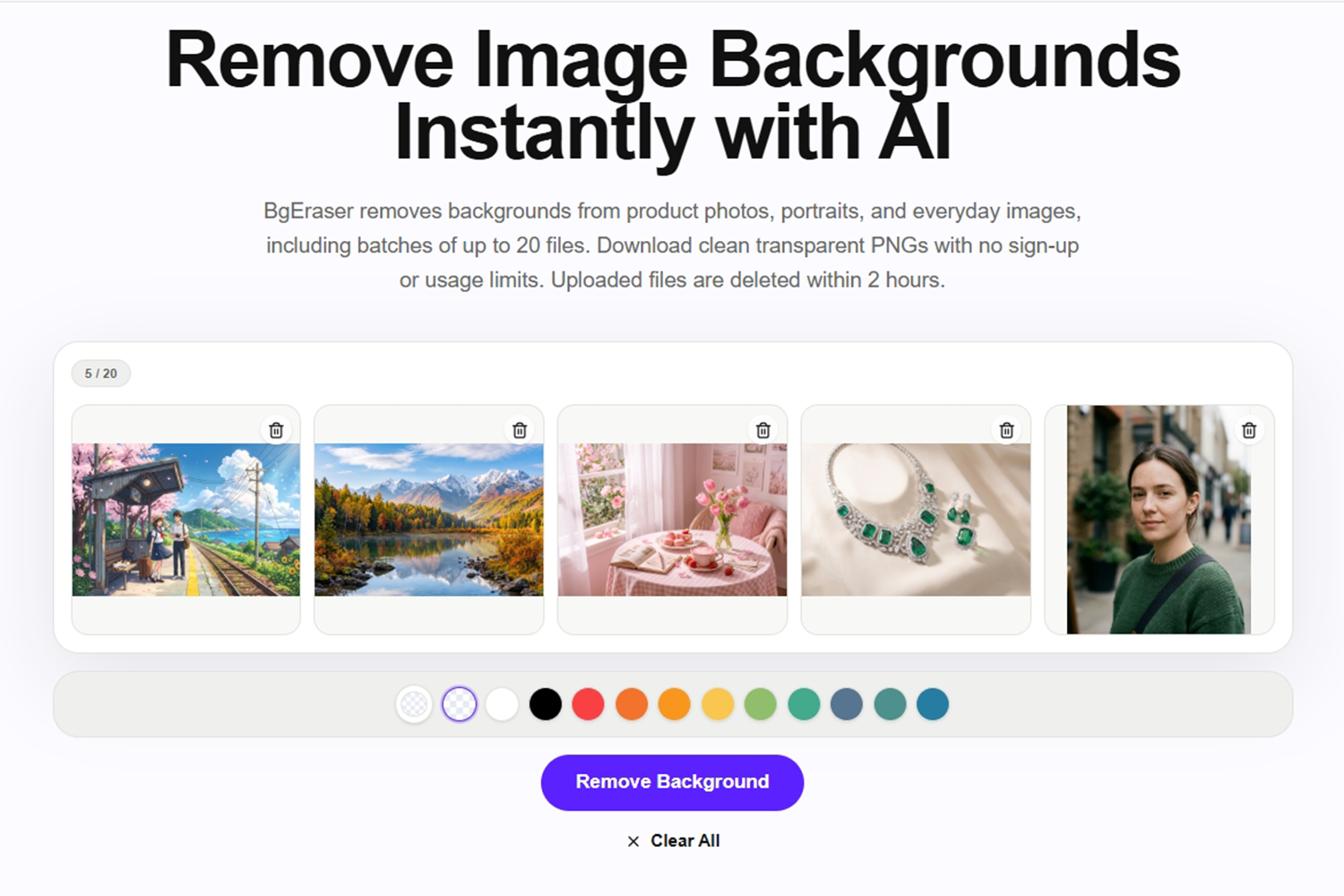
BgEraser (bgeraser.com) is a versatile web-based tool that goes beyond basic background removal. Powered by machine learning, it offers a highly capable bulk bg remover function alongside a suite of image cleanup tools.
This tool allows processing 20 images in one place. With its clean interface, you can get instant transparent results without any hassle. One of its standout traits is the Magic Eraser feature, which allows you to not only remove the background but also clean up watermarks or unwanted objects from the images, ensuring a pristine final result.
Key Features:
- Object removal capabilities integrated alongside the main background erasing function.
- Advanced face recognition machine learning algorithms for perfect portrait cutouts.
- Adjustable manual brush sizes for precision cleanup on tricky edges.
Pros:
- Batch processes a maximum of 20 images at one time.
- Multi-functional tool that can also remove watermarks and text from photos.
- Strong privacy policy ensuring uploaded images are automatically deleted from servers.
Cons:
- Strict maximum image dimension restrictions on the free tier.
- The batch processing speed is slightly slower compared to top competitors.
- Free outputs may contain a small watermark unless you upgrade to a paid subscription.
How to Choose the Best Tool for Your Needs
With so many options on the market, selecting the right bulk background remover depends entirely on your specific workflow. Here are three factors to consider:
- Volume and Speed: If you are only editing a handful of images, a simple tool like BatchRemover might suffice. However, if you are handling hundreds of product photos, a powerful platform like PicWish is mandatory for speed and stability.
- Quality Requirements: For professional high-resolution outputs with perfect hair and edge details, investing in a robust AI tool will yield a much higher return on investment than basic free tools.
- Additional Features: Do you just need a transparent PNG, or do you need to resize and add shadows simultaneously? Choose an all-in-one platform to avoid switching between different websites.
Frequently Asked Questions (FAQs)
Does a batch background remover reduce image quality?
No, using a professional tool like PicWish will preserve your original image quality and resolution. However, some basic free tools might compress your files to save on server processing power.
Can AI handle complex edges like hair and transparent glass?
Yes, modern AI algorithms have evolved significantly. Top-tier tools are trained specifically to recognize and isolate challenging areas like blowing hair, animal fur, and semi-transparent objects with high precision.
Is it safe to upload my private photos to a bulk image background remover?
Most reputable online tools use secure SSL encryption and have strict privacy policies. They typically auto-delete your uploaded files from their servers within 24 hours. Always check the privacy terms of the specific website before uploading sensitive data.





Leave a Comment