
As the digital landscape evolves, finding reliable remove.bg alternatives for e-commerce image workflows has become a top priority for online sellers, developers, and creative agencies.
For years, remove.bg was the gold standard for one-click background removal. However, with major changes to its service model and the increasing demands of modern product photography—which now requires automated staging, batching, and API integrations—a simple transparent PNG is no longer enough.
Why Do You Need an Alternative to Remove.bg Now?
The primary urgency driving businesses to find remove.bg alternatives for online business operations is the permanent shutdown of the standalone remove.bg website, officially scheduled for December 1, 2026.
What exactly happened? The core background removal technology isn’t disappearing, but it is migrating entirely to Leonardo.Ai, which is now part of the Canva ecosystem.
While Canva is a fantastic design tool and offers a free tier, accessing bulk background removal and advanced generative AI tools typically requires a paid Canva Pro subscription. For users accustomed to a dedicated, lightweight web interface or a straightforward API structure, being forced into a comprehensive graphic design platform disrupts established workflows. Therefore, finding remove.bg alternatives for developers and high-volume sellers is essential to maintain automated pipelines without being tied to Canva’s specific UI or pricing model.
What Should an Alternative to Remove.bg for E-commerce Include?
To maintain a competitive edge without workflow bottlenecks, standalone software needs to support massive scale and visual consistency. When evaluating remove.bg alternatives for commercial use, you must look beyond basic edge detection. Based on our industry testing, a true enterprise solution must offer:
- Massive Batch Processing: The ability to handle hundreds of SKUs simultaneously without manual uploading or browser crashes.
- Marketplace Readiness: Outputs that natively support precise aspect ratios, exact margins, and pure white backgrounds for platforms like Amazon and Shopify.
- Advanced AI Enhancements: The capability to generate realistic drop shadows, create lifestyle staging, and apply automatic color correction natively.
- API and Developer Ecosystem: Robust developer SDKs (Python, Node.js) and REST APIs that plug directly into existing Product Information Management (PIM) systems.
Top 5 Remove.bg Alternatives for E-commerce: Feature Comparison
Here is a quick overview of the market’s top tools. Finding the right remove.bg alternative for marketplace sellers comes down to balancing batch capacity, API access, and workflow depth.
| Tool | Best For | API Access | Batch Processing | Starting Price |
| PicWish | Comprehensive e-commerce production | Yes | Massive Scale | Free tier, high-volume custom plans |
| Photoroom | AI lifestyle staging & templates | Yes | Up to 250 images | $7.50 / month |
| Canva | Quick social media graphics | Limited | Basic | $12.00 / month |
| Backgroundless | Free bulk pure white backgrounds | No | 40 images / batch | Free (Pro Spaces: $2.99/mo) |
| Poof | Developers (images, video & GIFs) | Yes | Unlimited via API | $9.00 / month ($0.002/image) |
PicWish: The Best Alternative to Remove.bg for E-Commerce Workflows
PicWish is a comprehensive powerhouse specifically engineered for merchants who need to process massive product catalogs with absolute precision, making it one of the premier remove.bg alternatives for e-commerce platforms.
While basic tools struggle with complex edges like sheer fabrics, jewelry, or fur, PicWish’s AI models are trained explicitly on high-demand commercial imagery to ensure perfect cutouts every time. It goes far beyond simple removal by offering an end-to-end photo preparation suite that includes AI background generation, automatic shadow application, and image upscaling to rescue low-resolution supplier photos. Its desktop application handles bulk processing seamlessly, while its enterprise-grade API allows developers to automate thousands of SKU updates directly within their own databases without manual intervention.

Pros:
- Superior Edge Detection: Algorithms works great specifically on complex product details like fine hair, fur, and transparent glass, minimizing manual touch-ups.
- Unmatched Bulk Capabilities: Offers a highly stable dedicated desktop application capable of processing thousands of images in massive batch jobs without crashing your browser.
- Developer-Friendly Integration: Includes a robust, well-documented API that integrates smoothly into automated supply chain pipelines and custom backend systems.
Cons:
- To unlock the absolute maximum bulk processing speeds and stability, users must download the desktop client rather than relying solely on the web interface.
- The vast array of advanced AI enhancement tools (like upscaling and retouching) can present a slight learning curve for users wanting a single-click solution.
- Heavy AI generation tasks (like rendering complex lifestyle backgrounds) can take slightly longer to process compared to standard transparent cutouts.
Photoroom – The Best Remove.bg Alternative for Visual Staging
Photoroom focuses heavily on the e-commerce listing workflow, focusing on taking a raw product photo and turning it into a conversion-ready asset. As one of the highly rated remove.bg alternatives for e-commerce and online business storefronts, it excels at generating realistic lifestyle scenes (Product Staging) or placing apparel on AI-generated models (Virtual Model) without requiring an expensive physical photoshoot. It allows teams to lock in brand consistency through its Brand Library and offers marketplace-ready export templates sized perfectly for Shopify, Amazon, Etsy, and TikTok Shop.

Pros:
- Features highly advanced AI Product Staging that generates realistic lighting, scenes, and lifestyle aesthetics.
- The web-based batch editor processes up to 250 images simultaneously. Consequently, it handles mid-sized catalog updates effortlessly.
- Built-in marketplace templates automatically resize, crop, and format outputs to comply with platform-specific rules.
Cons:
- Generative AI features can occasionally hallucinate or slightly alter the actual product details, requiring careful manual review.
- The workflow relies entirely on a cloud-based UI, meaning any internet instability severely disrupts the editing and rendering process.
- Hidden subscription changes. Specifically, the company sometimes moves prepaid features into more expensive tiers without warning.
Canva – The Best Remove.bg Alternative for Social Media Design
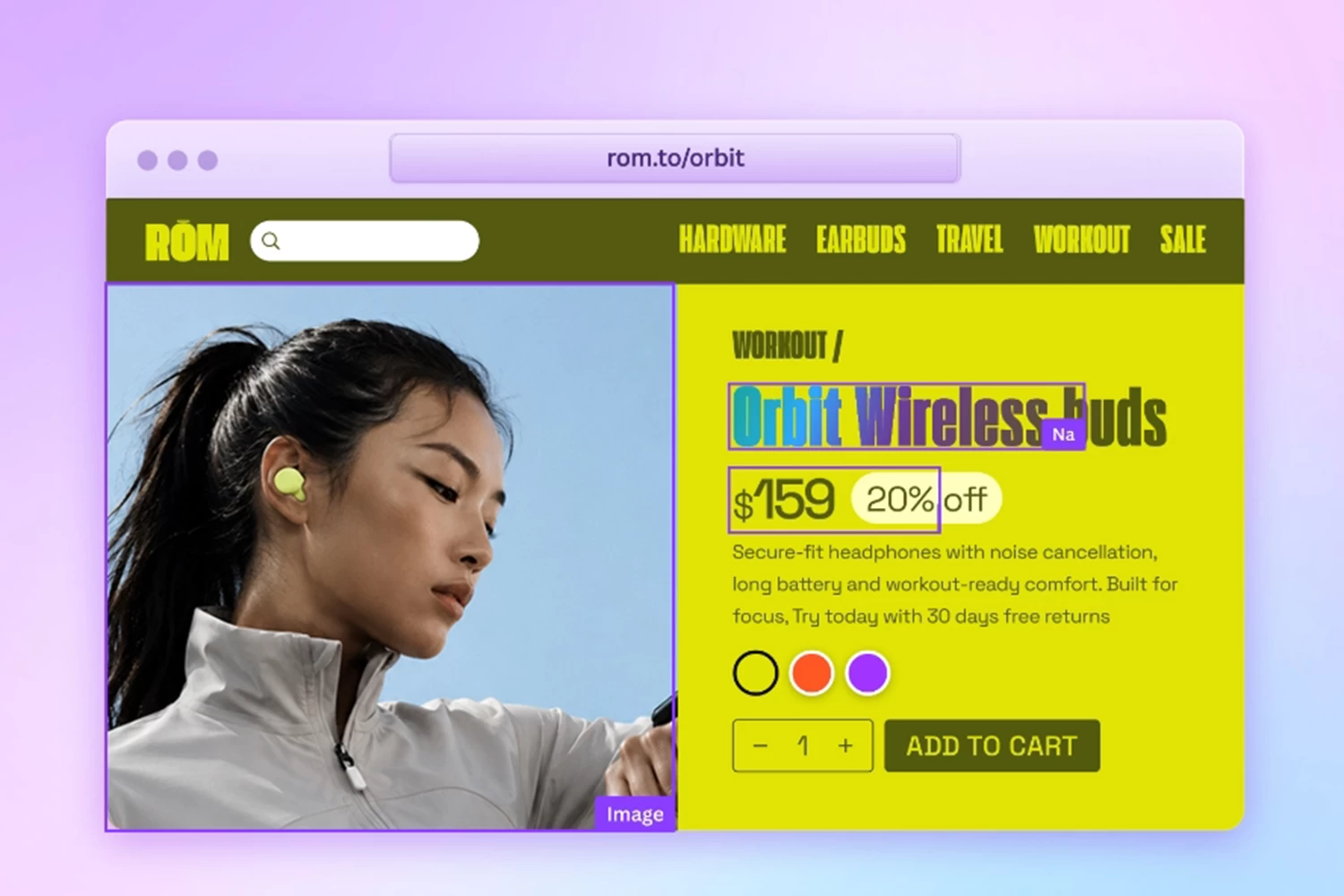
Since Canva’s parent company acquired remove.bg’s core technology, its native Background Remover acts as the direct descendant of the original tool. It is an excellent remove.bg alternative for e-commerce and digital marketing teams building social media posts, ad creatives, and basic storefront banners in a unified environment. Because it is a massive design suite, users can remove a background and immediately drop the product into thousands of pre-made promotional templates.
Pros:
- Offers a familiar, highly intuitive drag-and-drop interface that requires zero technical knowledge to master instantly.
- Provides seamless integration into an unparalleled library of graphics, stock assets, fonts, and marketing templates.
- Cloud-based collaboration tools allow entire marketing teams to leave comments, approve layouts, and co-edit product graphics in real-time.
Cons:
- Lacks a dedicated, robust API for developers to programmatically batch-process thousands of images in the background.
- The edge detection struggles with complex objects like hair or bicycle spokes. So, users often notice weird halos or missing product details.
- The background removal feature requires a paid Canva Pro subscription. Therefore, the platform completely blocks free users from accessing this essential tool.
Backgroundless – The Best Remove.bg Alternative for Privacy-First Sellers
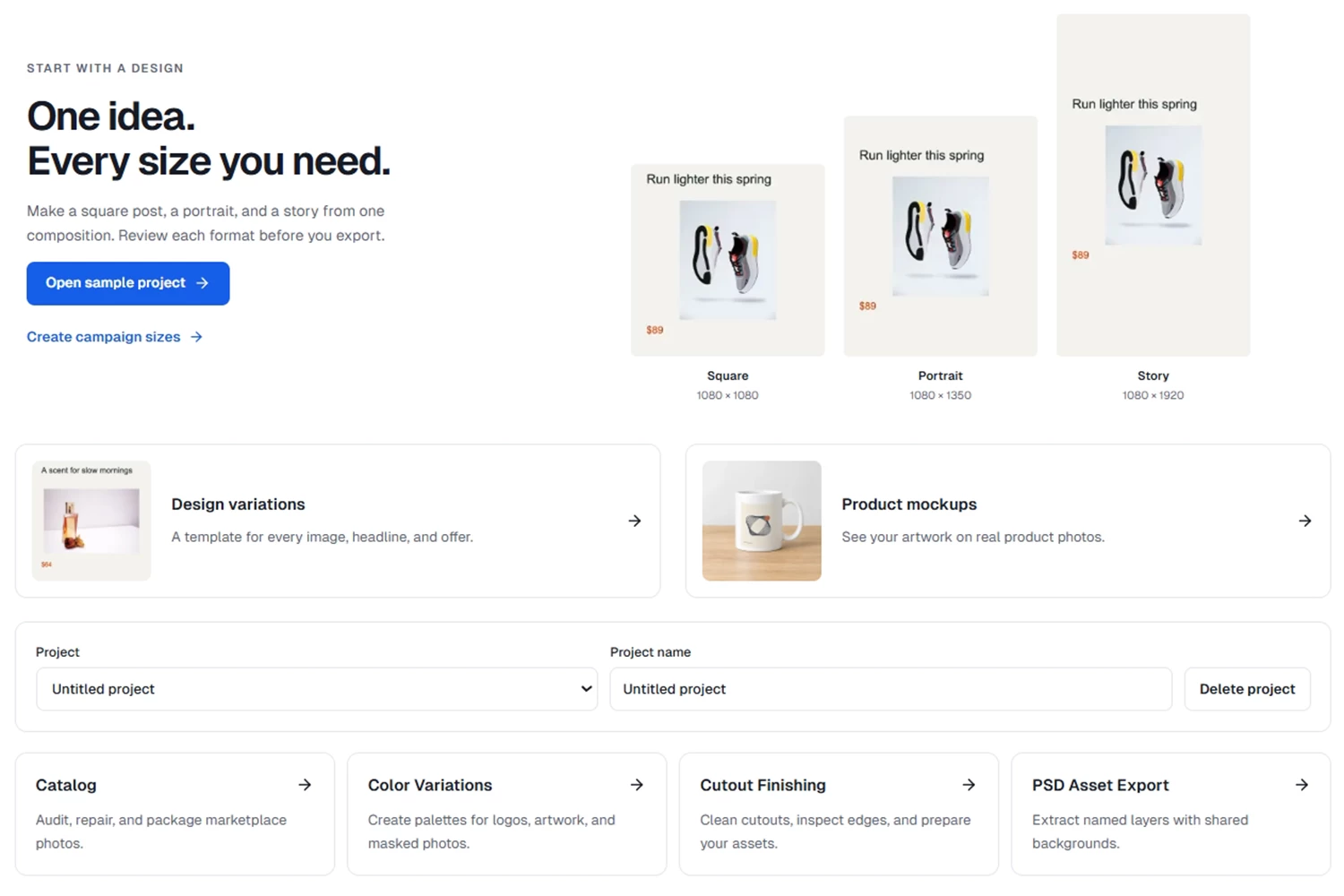
Backgroundless is a highly specialized, privacy-first web tool designed strictly to format product photos for online marketplaces. As one of the best remove.bg alternatives for e-commerce sellers, it runs entirely in your browser using WebGPU. This means pre-launch NDAs, sensitive product photos, or exclusive brand collaborations never actually leave your device. It focuses solely on generating the pure white RGB (255, 255, 255) backgrounds mandated by major retail platforms without forcing users to navigate complex menus.
Pros:
- Guarantees absolute data privacy and security, as all image processing happens locally on your machine rather than on remote servers.
- Outputs are specifically tailored for strict marketplace compliance, defaulting perfectly to pure white backgrounds or exact transparent masters.
- The core browser tool applies no watermarks to outputs and completely skips mandatory account sign-ups.
Cons:
- Performance is heavily hardware-dependent; processing high-resolution images on older computers may cause the browser to crash.
- The free bulk processor is strictly capped at batches of 40 images, which significantly slows down massive catalog updates.
- It lacks any advanced generative AI capabilities, meaning you cannot add realistic drop shadows or create lifestyle scenes.
Poof – The Best Remove.bg Alternative Both Image and Video Workflows
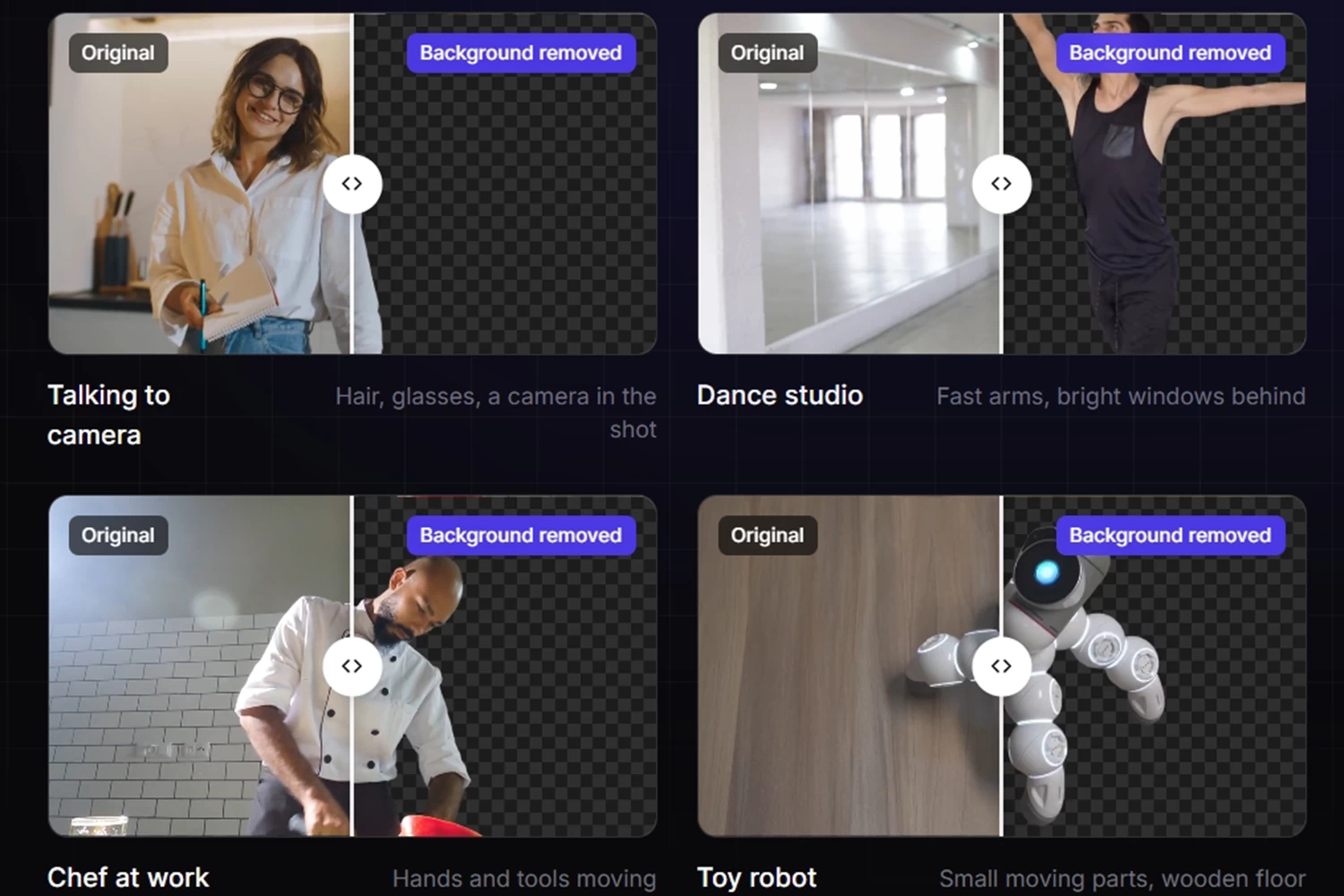
Poof is a developer-first infrastructure platform built explicitly to replace expensive legacy background removal APIs. Boasting incredible speed (under 2 seconds per image), it is an elite remove.bg alternative for software developers building applications or managing massive server-side catalog pipelines. Unlike standard image editors, Poof also handles video clips and animated GIFs—returning transparent WebM or MOV files with the original sound kept intact.
Pros:
- Delivers exceptional GPU-accelerated processing speeds, consistently returning high-quality image cutouts in under two seconds.
- Natively supports robust video background removal, offering transparent WebM, MOV, and GIF exports with audio preservation.
- Provides highly readable, ready-to-use SDKs for Python and TypeScript, plus seamless visual integrations for Zapier and Make.
Cons:
- It is strictly a backend/API tool, completely lacking a visual, template-driven user interface for non-technical marketing teams.
- Does not include e-commerce-specific generative tools, such as AI lifestyle staging, auto-shadows, or automated branding kits.
- Requires a baseline level of programming or automation knowledge to implement, test, and utilize effectively in a workflow.
Why Choose PicWish for E-Commerce Workflows?
As the standalone remove.bg site shutdown forces an industry-wide software transition, businesses must choose a platform that removes manual bottlenecks rather than creating new ones. When searching for the ultimate remove.bg alternatives for online business or e-commerce scale, PicWish stands out as the most balanced, powerful solution for both non-technical marketers and backend developers.
Unlike Canva, which traps your workflow inside a graphic design UI, or Poof, which requires developer resources to utilize, PicWish bridges the gap perfectly. It offers a highly intuitive interface capable of applying uniform backgrounds, realistic shadows, and custom sizing to a bunch of images in a single click. For engineering teams, the PicWish API integrates smoothly into automated supply chain pipelines, ensuring every new SKU uploaded instantly receives a marketplace-compliant image.
What truly makes PicWish the ideal alternative to remove.bg for online business is its all-in-one AI Product Studio. Instead of juggling multiple apps, sellers can use the Listing Image Generator and White Background tool to instantly prep pure white Amazon-ready files, or generate product backgrounds in realistic lifestyle scenes. It even includes advanced fashion and retouching tools like Ghost Mannequin, Virtual Try-on, and Clothes Wrinkle Remover to turn flat snaps into high-end apparel shots. With these, PicWish eliminates manual QA and helps you launch listings faster.




Leave a Comment