

What Is Ghost Mannequin Photography?
Ghost mannequin photography, also called invisible mannequin photography, is a style of apparel photography in which a garment appears to be worn, but the mannequin is removed from the final image.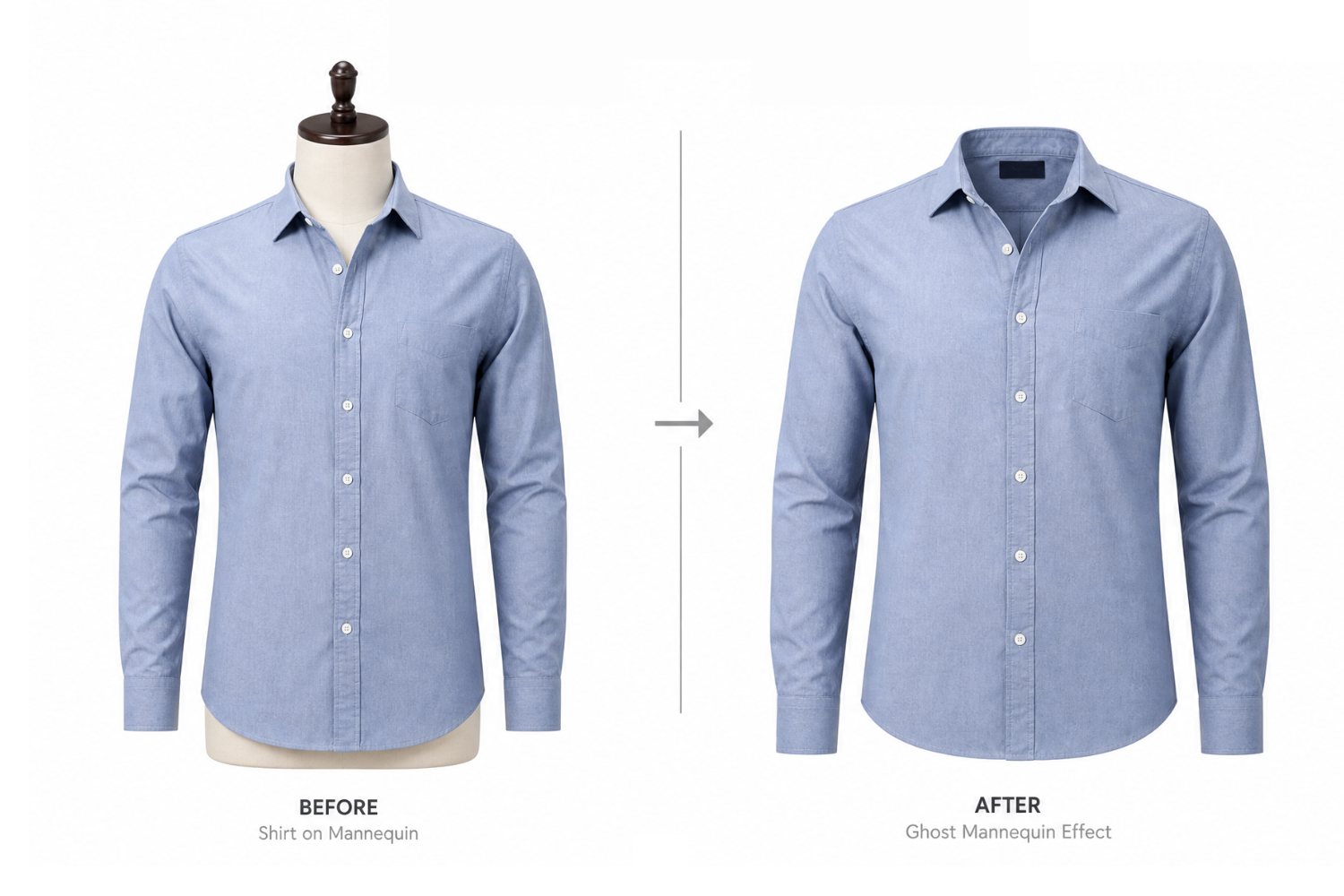
Instead of lying flat, a shirt can show its collar and shoulder structure. A blazer can hold its tailored shape. A dress can display its silhouette more naturally than it would on a table.
The technique is commonly used for:
– Shirts, jackets, dresses, knitwear, and uniforms
– Online clothing stores and marketplace listings
– Wholesale catalogs and seasonal collections
– Product pages that need a consistent, distraction-free look
A well-made ghost mannequin photo helps shoppers focus on the product itself: its cut, construction, texture, and overall form.
Why Ghost Mannequin Images Matter In E-commerce
Fashion product photography often has to balance two jobs.
First, it needs to be accurate. A shopper wants to see the neckline, sleeve length, seams, fastening details, and fabric appearance clearly.
Second, it needs to be appealing. Images should make a collection feel polished and trustworthy.
Ghost mannequin images are particularly good at the first job. They remove visual distractions while keeping the garment three-dimensional. This makes them a strong choice for main product images, especially when a store carries many colors, sizes, or related styles.
How Traditional Ghost Mannequin Photography Works
A traditional invisible mannequin shoot usually requires both preparation and editing skill.
The garment is first placed on a mannequin and adjusted carefully. Wrinkles are removed, seams are aligned, and clips may be used out of view to improve the silhouette. Lighting must be consistent, since harsh shadows or uneven exposure make later editing more difficult.
The photographer then captures the main product view. For garments such as collared shirts, hoodies, or jackets, a second image may be needed to show areas hidden by the mannequin, such as the inside of a collar or back neckline.
During post-production, the visible parts of the mannequin are removed. The hidden garment sections are added back in, edges are cleaned, and the final image is adjusted for color, shadows, framing, and background consistency.
Done well, this creates a convincing product image. But for a small fashion business or a seller launching many items at once, the process can take considerable time.
Where AI Fits Into The Workflow
AI does not remove the need for judgment. A poorly photographed garment with hidden details, incorrect color, or heavy wrinkles can still produce an unreliable result. What AI can do is reduce repetitive editing work and make it easier to develop more visual assets from the same product photo.
With PicWish, a fashion seller can start from a clothing image and work toward different ecommerce uses:
– A clean garment presentation suitable for a product listing
– A white-background image for marketplaces or catalogs
– An on-model variation using virtual try-on
– A lifestyle version with a new background
– A refined product image with improved presentation and consistency
This is where PicWish can take a distinct position: a ghost mannequin image is not necessarily the final destination. It can be the clean product foundation for a fuller gallery.
Is AI Ghost Mannequin Photography Right For Every Brand?
AI-assisted image creation can be especially helpful for smaller sellers, marketplace merchants, fast-moving catalogs, and brands testing new product presentations. It may reduce time spent on routine production and make it easier to prepare multiple image styles.
For premium collections, intricate garments, or products where texture and construction are central to the purchase decision, brands may still choose controlled studio photography and detailed professional editing for their core product images.
The most practical approach is not all-or-nothing. Use the method that matches the image’s purpose:
– Use clean ghost mannequin product images when shoppers need clarity.
– Use on-model images when shoppers need styling context.
– Use lifestyle visuals when a campaign needs atmosphere.
– Use careful review every time accuracy affects a purchasing decision.
How to Create Ghost Mannequin Photography with PicWish AI Designer
With PicWish AI Designer, you can turn a clothing photo into a clean ghost mannequin product image without setting up a mannequin shoot or working through complex editing steps.
1. Upload your clothing photo
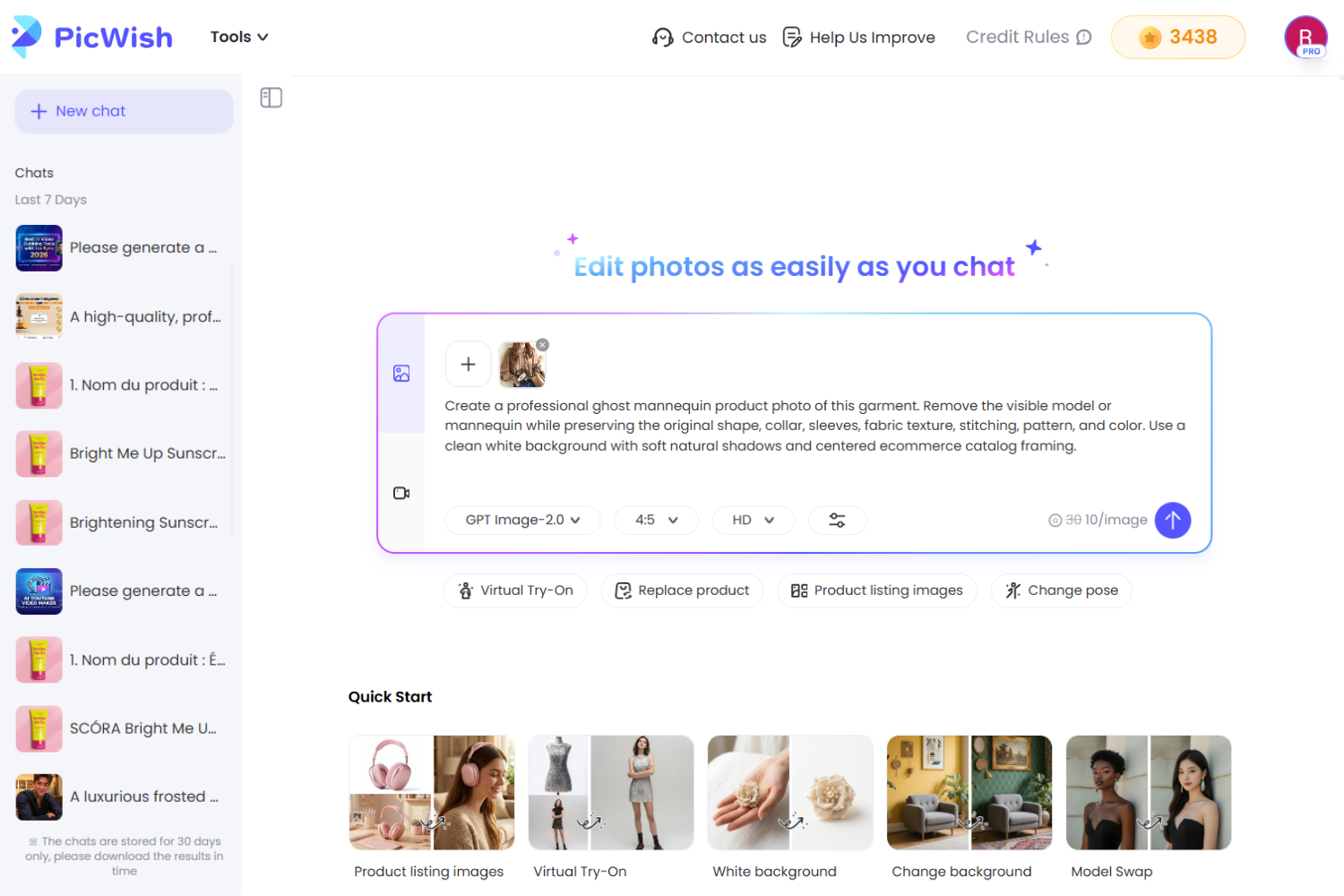
Go to PicWish AI Designer and upload a clear image of the garment you want to present. For the best result, use a photo where the full item is visible and important details such as collars, sleeves, buttons, patterns, or logos are easy to see.
2. Describe the ghost mannequin result you want
Enter a prompt that tells PicWish how the final product photo should look. Keep the request specific and focused on product accuracy.
Example prompt:
Create a professional ghost mannequin product photo of this garment. Remove the visible model or mannequin while preserving the original shape, collar, sleeves, fabric texture, stitching, pattern, and color. Use a clean white background with soft natural shadows and centered ecommerce catalog framing.
3. Generate your product image
PicWish AI Designer uses your photo and prompt to create a polished ghost mannequin photography result suitable for an online store, catalog, or marketplace listing.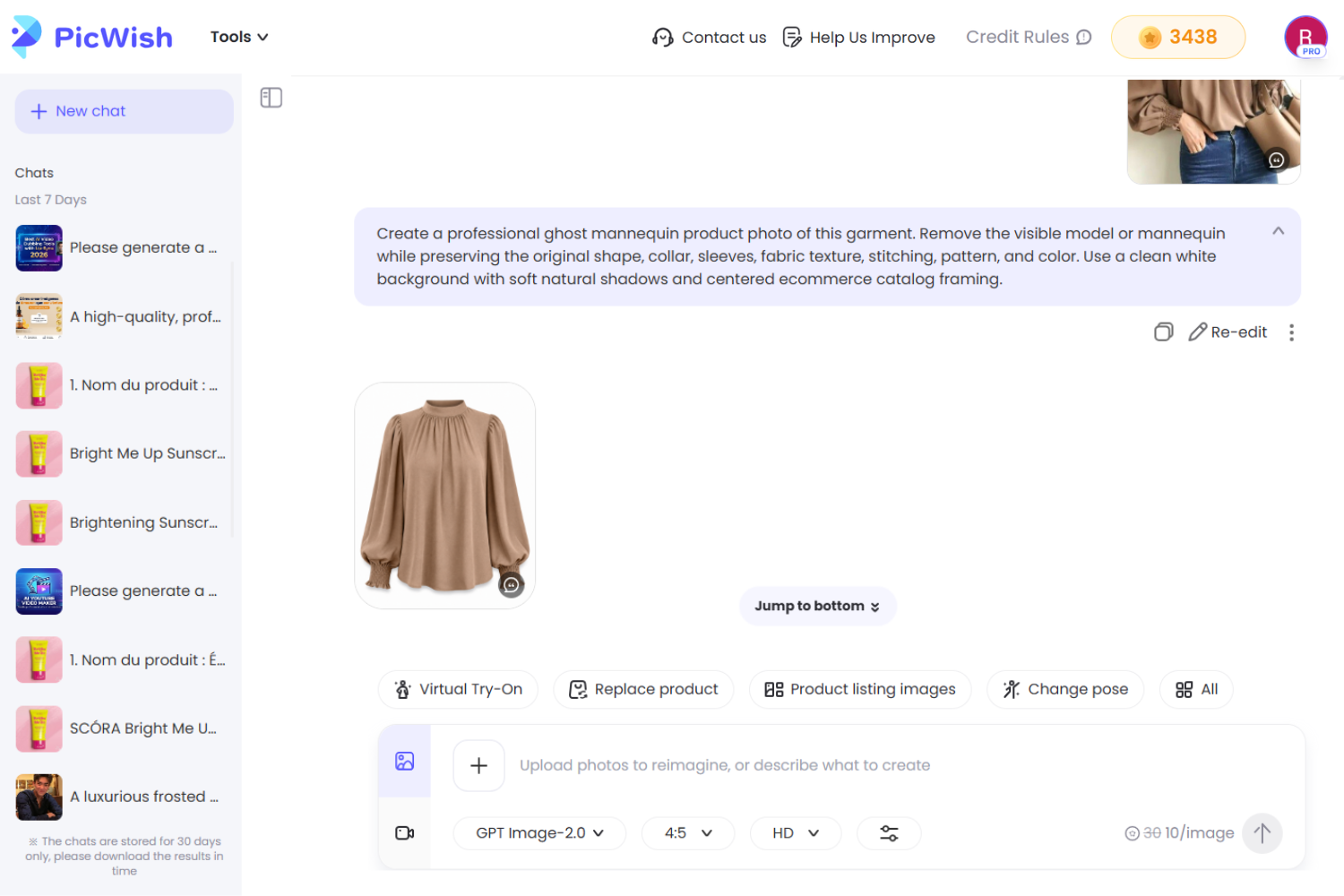
4. Check the product details before publishing
Review the generated image carefully, especially around collars, cuffs, hems, fastenings, logos, prints, and color. The final image should look professional while remaining faithful to the garment customers will receive.
Once approved, your ghost mannequin image can be used as a clean primary product visual or as the starting point for a wider fashion ecommerce gallery.
Frequently Asked Questions
📍Is ghost mannequin photography the same as invisible mannequin photography?
Yes. The terms are commonly used interchangeably to describe clothing images that retain a worn, three-dimensional look without showing the mannequin.
📍Is ghost mannequin photography good for e-commerce?
It is particularly useful for e-commerce because it presents clothing clearly and consistently. It can help shoppers inspect the structure of shirts, dresses, jackets, and similar products without distractions.
📍 What is the difference between ghost mannequin and flat lay photography?
A flat lay shows a garment positioned on a flat surface, while a ghost mannequin image shows it with more natural shape and volume. Flat lays can work well for simple items or styled content; ghost mannequin photos are often stronger for structured apparel.
📍Should I use ghost mannequin photos or model photos?
Both can be valuable. Ghost mannequin photos are useful for showing product detail clearly, while model photos help shoppers understand styling and visual fit. Many product galleries benefit from including both.
📍Can AI create ghost mannequin product images?
AI tools can help create or refine ghost mannequin-style product visuals from clothing photos, reducing some of the manual work associated with traditional editing. Outputs should still be checked carefully for color, construction details, patterns, and edge accuracy.
Conclusion
Ghost mannequin photography has stayed relevant for a simple reason: it helps shoppers see clothing clearly. It gives garments shape without adding distraction, making it valuable for product pages, catalogs, and marketplace listings.



Leave a Comment