

Selling online in 2026 is more competitive than ever. Whether you’re running a Shopify store, selling on Amazon, or managing a TikTok Shop, product images can make or break your conversions.
A clean, distraction-free background isn’t optional anymore — it’s essential.
In this guide, we’ll break down:
- Why background removal matters for ecommerce sellers
- What features truly matter in a free AI background remover
- The best free AI background remover for ecommerce sellers
- Practical tips to increase conversions
- FAQs to help you choose the right tool
Why Ecommerce Sellers Must Remove Backgrounds
1. Marketplace Requirements
Platforms like Amazon, eBay, and Etsy require clean or pure white backgrounds for many product categories.
Failing to comply can result in:
- Listing suppression
- Lower ranking
- Reduced visibility
2. Higher Click-Through Rates
Products with:
- Clean white backgrounds
- Clear subject focus
- No distracting objects
typically get more clicks compared to cluttered photos.
Shoppers decide in seconds — clean visuals build instant trust.
3. Better Ad Performance
If you run ads on Facebook, Instagram, or TikTok, background-optimized images:
- Reduce visual noise
- Improve focus on the product
- Increase ROAS
What Makes a Great Free AI Background Remover?
Not all “free” tools are truly usable for ecommerce. Here’s what sellers should look for:
✔ 1. High-Precision Edge Detection
Hair, transparent objects, jewelry, and fabric edges must remain sharp.
✔ 2. Batch Processing
Bulk editing saves hours if you upload dozens of SKUs.
✔ 3. No Watermark Downloads
Many tools advertise free usage but add watermarks unless you upgrade.
✔ 4. Fast Processing
Speed matters when listing products daily.
✔ 5. Manual Refinement Tool
AI isn’t perfect — the ability to manually refine edges is crucial.
Best Free AI Background Remover for Ecommerce Sellers
PicWish – Built for Sellers Who Need Clean, Fast Results
If you’re looking for a reliable and free AI background remover for ecommerce, PicWish stands out.
Why PicWish?
- AI-powered automatic background removal
- High-precision cutouts (even for hair & fine edges)
- Manual refine brush for corrections
- Free export options
- No design experience required
- Web-based — no installation needed
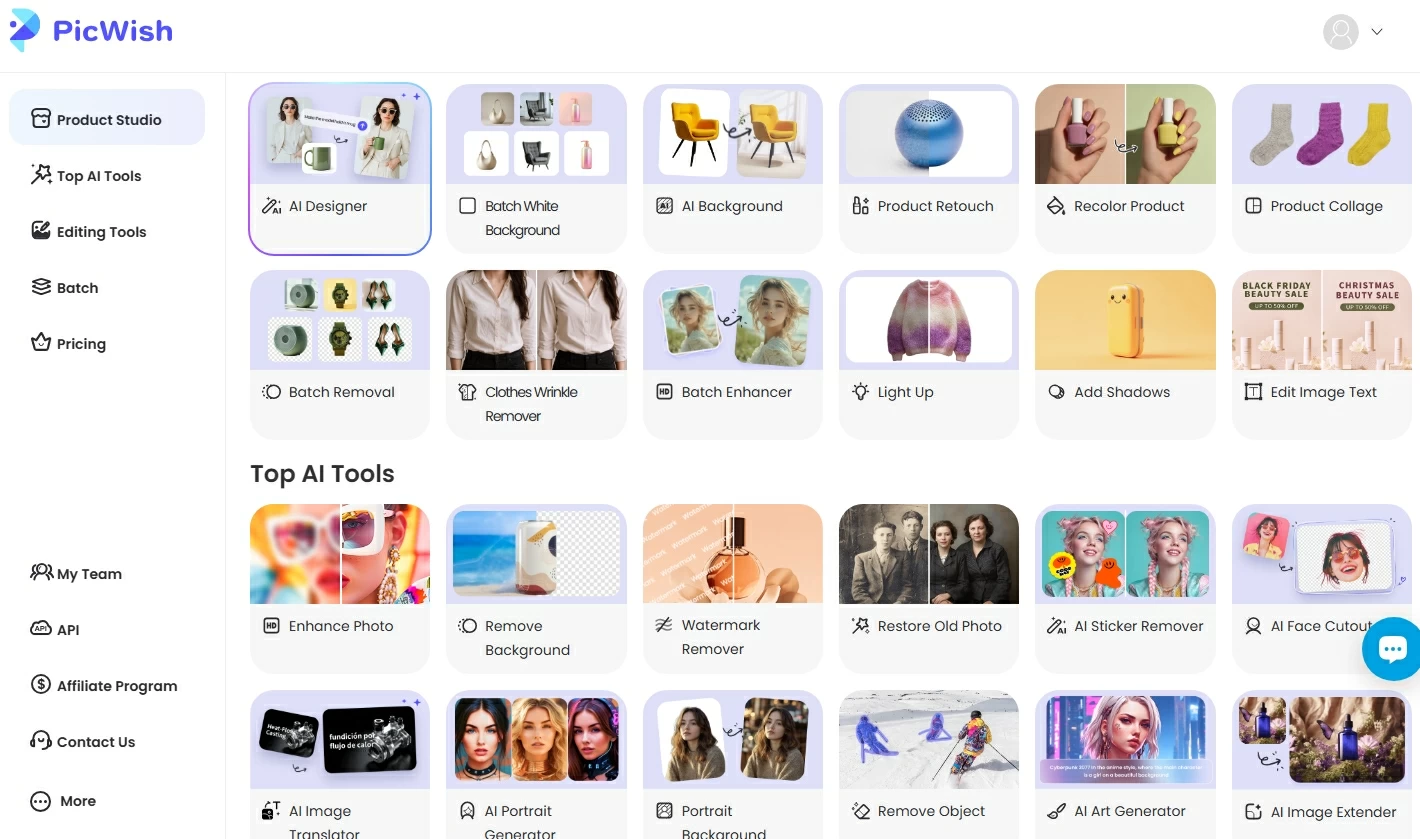
How to Remove Background for Free Using PicWish
Here’s how ecommerce sellers can do it in under 10 seconds:
Step 1. Upload Your Product Photo
Go to the PicWish background remover page and upload your image.
Step 2. Automatic AI Removal
The AI instantly detects your product and removes the background.
Step 3. Refine (Optional)
Use the manual brush tool if you want to adjust edges or fix small areas.
Step 4. Download Your Clean Image
Export your product image with a transparent or white background.
That’s it — ready for Amazon, Shopify, or ads.
Alternative Free Background Removal Methods
1. Manual Editing in Photoshop
Using Adobe Photoshop allows precise control.
Pros:
- Full control
- Professional results
Cons:
- Expensive subscription
- Steep learning curve
- Time-consuming
Best for advanced designers — not ideal for busy sellers.
2. Mobile Apps
There are background remover apps on iOS and Android.
Pros:
- Convenient
- Quick edits
Cons:
- Limited precision
- Often compress images
- Many add watermarks
Better for casual use, not large ecommerce operations.
Conversion Tips After Removing Background
Removing the background is just step one. To maximize conversions:
✅ Add Soft Shadows
Makes the product look realistic and premium.
✅ Use Pure White (#FFFFFF) for Amazon
Comply with marketplace guidelines.
✅ Keep Consistent Framing
All product images should have the same style and alignment.
✅ Test With Lifestyle Versions
Use transparent PNG files to place products into branded scenes.
Why Free Isn’t Always Truly Free
Many “free” AI background removers:
- Add large watermarks
- Force low-resolution downloads
- Limit usage severely
That’s why ecommerce sellers need a solution that balances cost and quality.
FAQs About Free AI Background Removers
1. What is the best free AI background remover for ecommerce sellers?
PicWish is one of the best free options because it combines AI precision, manual refinement, and clean export results without complicated workflows.
2. Can I use AI background removers for Amazon product images?
Yes — but ensure:
- The background is pure white
- The product fills 85%+ of the frame
- No extra text or props are added
Always follow Amazon’s official image guidelines.
3. Will removing background improve sales?
Yes. Clean product images:
- Increase click-through rates
- Improve trust
- Boost conversion rates
Visual clarity directly impacts buying decisions.
4. Is AI background removal better than manual editing?
For most ecommerce sellers, yes. AI tools:
- Save time
- Reduce costs
- Maintain consistent results
Manual editing is only necessary for complex cases.
Final Verdict: The Smartest Choice for Ecommerce Sellers
If you’re selling online and want:
- Faster listing creation
- Higher conversion rates
- Marketplace-compliant images
- Free and easy background removal
Then using an AI-powered tool like PicWish is the most practical choice.
In ecommerce, speed + clarity = sales.
And clean product images are your first competitive advantage.




Leave a Comment