

Choosing an efficient AI image creator from image inputs bridges the gap between raw imagination and finished artwork by using your existing photos as direct stylistic foundations. While industry giants like Stable Diffusion, Midjourney, and DALL-E 3 dominate the market, they often come with significant drawbacks—such as demanding expensive PC hardware, requiring steep learning curves, or locking essential features behind pricey monthly subscriptions. Because of these limitations, this article introduces a variety of accessible image to image AI generators that can easily bypass these hurdles, offering cloud-based workflows, generous free tiers, and highly user-friendly interfaces.
What is an Image to Image Generator?
An AI image to image generator is a specialized machine learning program that takes an uploaded reference graphic and regenerates it into a brand-new asset based on designated style prompts or algorithmic parameters. By analyzing structural depth, edge lines, color palettes, and focal subjects, the system understands the spatial hierarchy of the original composition. It then applies synthetic diffusion passes to modify textures, alter visual aesthetics, or convert visual media types while keeping your core composition completely intact throughout the rendering process.
1. Leonardo.ai
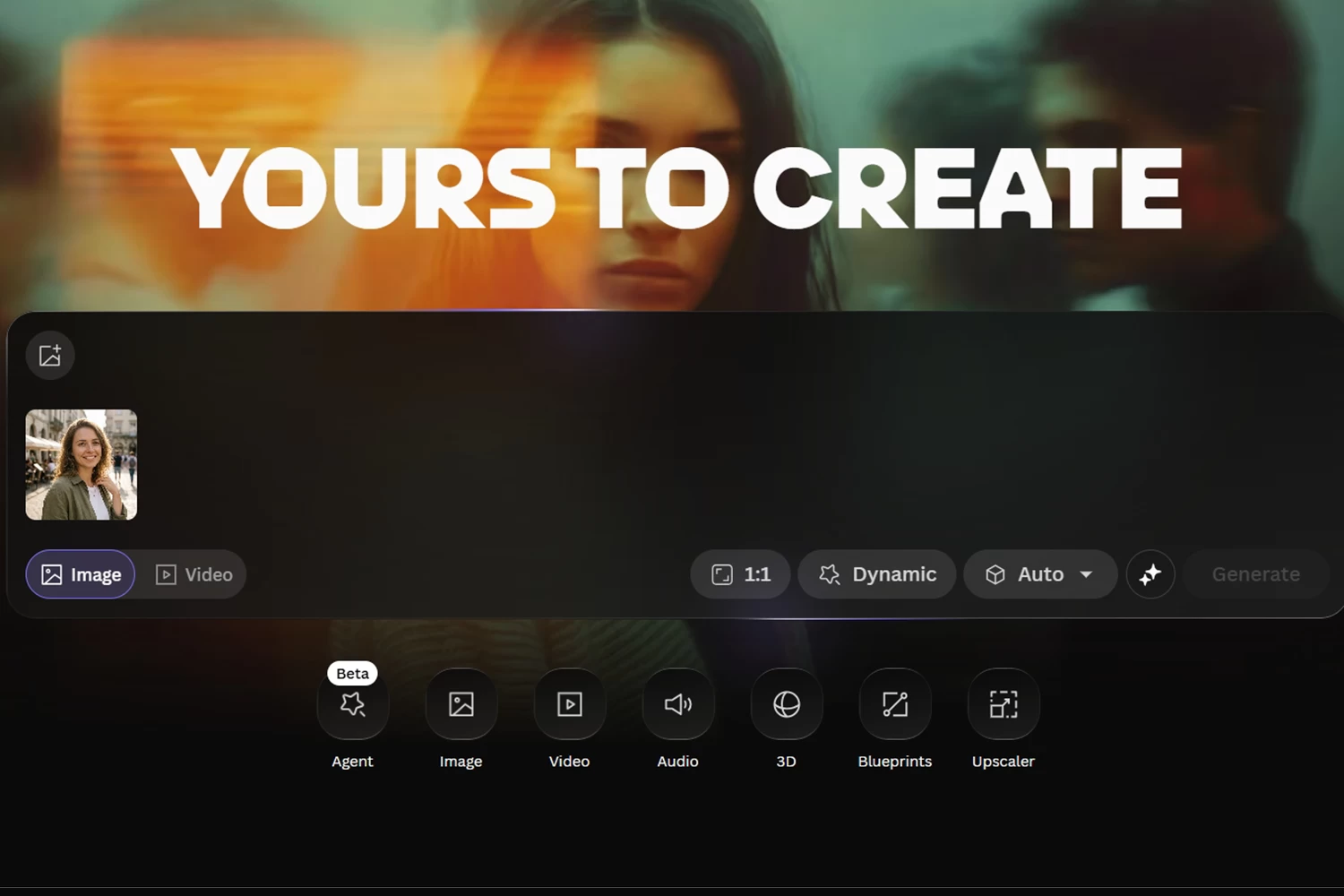
Widely recognized across the design industry as one of the best AI image to image generators, Leonardo.ai establishes a high standard for contextual comprehension and visual consistency without requiring local hardware. The engine parses compositional geometry, spatial perspective, and ambient lighting, ensuring that uploaded references preserve their compositional integrity while acquiring realistic textures. It processes demanding prompt revisions effortlessly, making it highly reliable for professional concept artists, game developers, and illustrators who require commercial-grade visual assets.
Pros:
- Outstanding comprehension of intricate spatial depth, lighting, and composition via its Image Guidance tools.
- Delivers production-grade resolution with realistic surface textures.
- Accommodates fast iteration cycles for professional concept development directly in the browser.
Cons:
- Relies on stable high-bandwidth connectivity to render complex prompts online.
- Advanced parameter toggles present a steep learning curve for novices.
- Premium access tiers are priced higher than standard consumer alternatives.
2. PicLumen
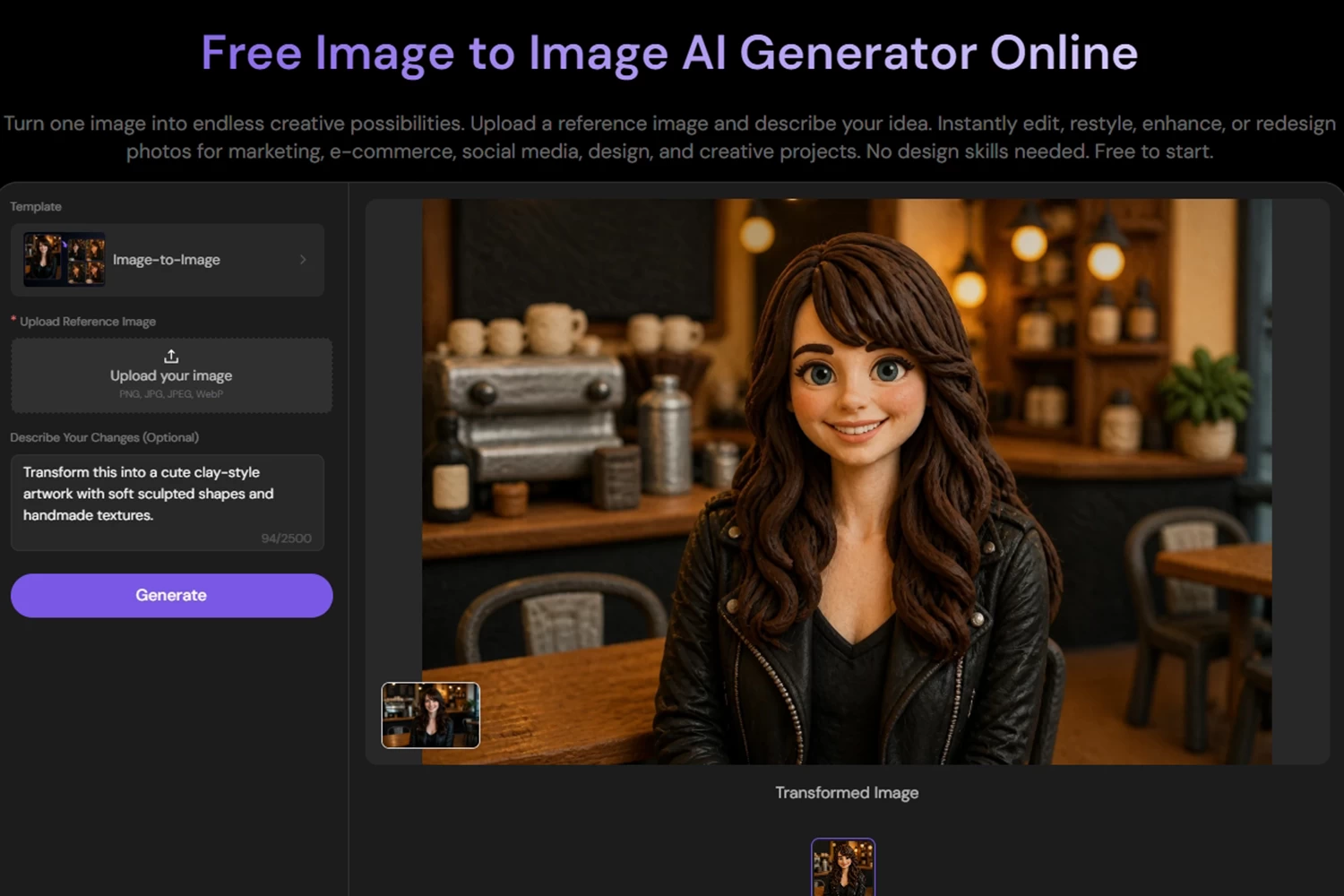
Operating as a versatile and incredibly accessible best image to image AI generator, PicLumen delivers a seamless blend of high-fidelity graphic synthesis and user-friendly design. It stands out as a powerful platform that lets creators upload source artwork and refine the aesthetic through a straightforward web interface. You can request specific lighting modifications, style templates (like anime or 3D), or medium shifts without breaking the foundational composition. The platform interprets layered instructions effectively, establishing itself as an adaptable tool for digital painters and hobbyists looking to refine drafts through iterative feedback without worrying about paywalls.
Pros:
- 100% free web-based platform with no restrictive paywalls or complex credit systems.
- Preserves original focal subjects seamlessly while smoothly adjusting artistic mediums.
- Highly intuitive interface makes it perfect for absolute beginners and casual creators.
Cons:
- Lacks the hyper-advanced structural locking (like ControlNet depth maps) found in complex open-source nodes.
- Generation queues can occasionally experience slowdowns during peak global network traffic.
- Output options are tailored more for digital use rather than massive commercial printing.
3. PicWish
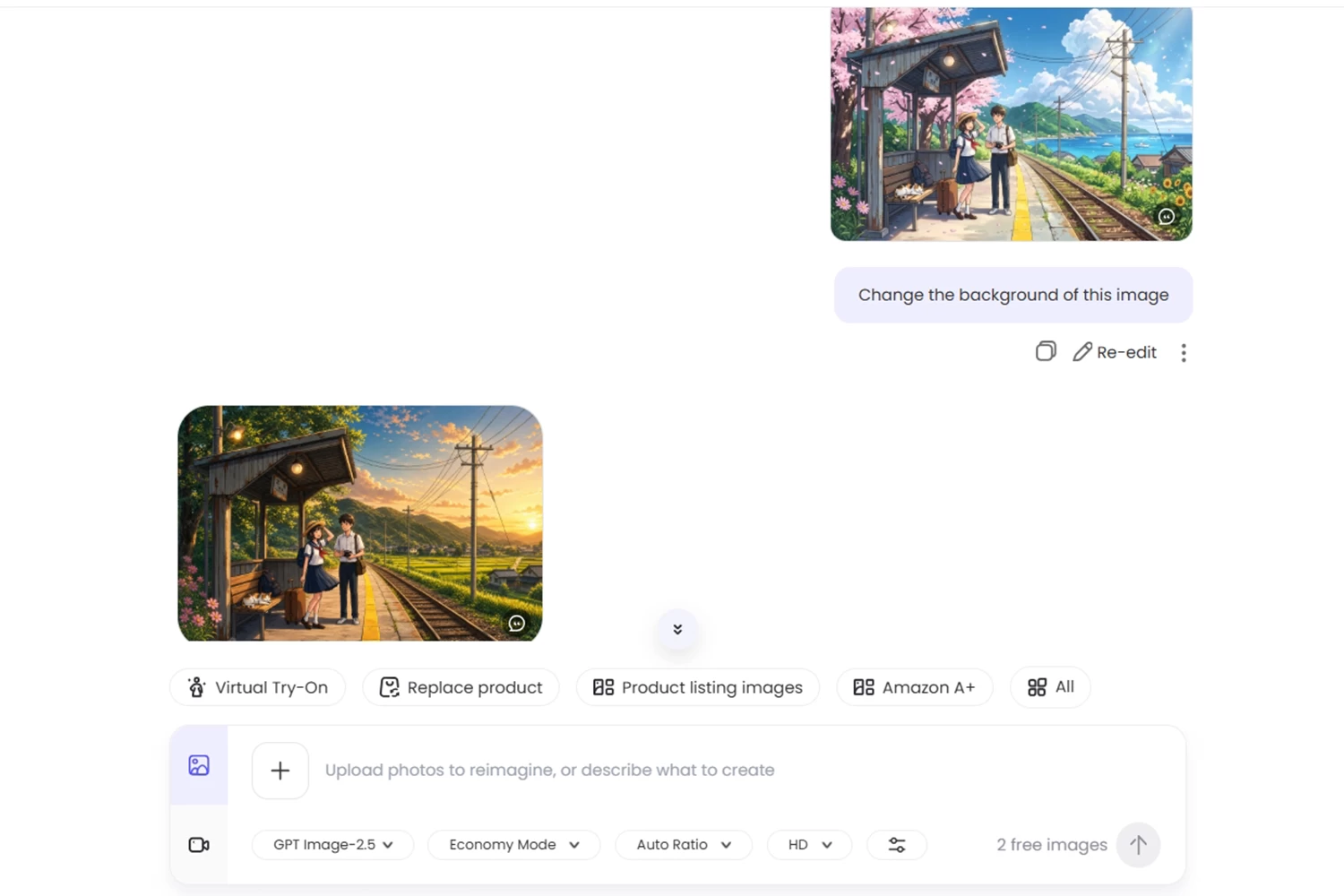
PicWish stands out as an outstanding free AI image to image generator offering an accessible free trial that gives creators access to professional graphic design capabilities. Its dedicated AI designer feature lets you upload single or multiple source images to produce clean, high-impact visuals driven by integrated GPT-Image 2.5 and Banana Pro models. Creators enjoy precise control over custom aspect ratios, target resolutions, and export file formats like PNG and JPG, while the resulting outputs deliver crisp clarity, balanced color, and commercial-ready quality.
Pros:
- Dual-engine architecture utilizing GPT-Image 2.5 and Banana Pro models.
- Supports batch multi-image uploads alongside custom dimension settings.
- Exports clean PNG and JPG formats suitable for commercial design pipelines.
Cons:
- Free access relies on a trial structure before requiring extra credits.
- Rendering dual-model outputs can take slightly longer during busy periods.
- High-resolution exports draw through available credits faster.
4. ImageHub
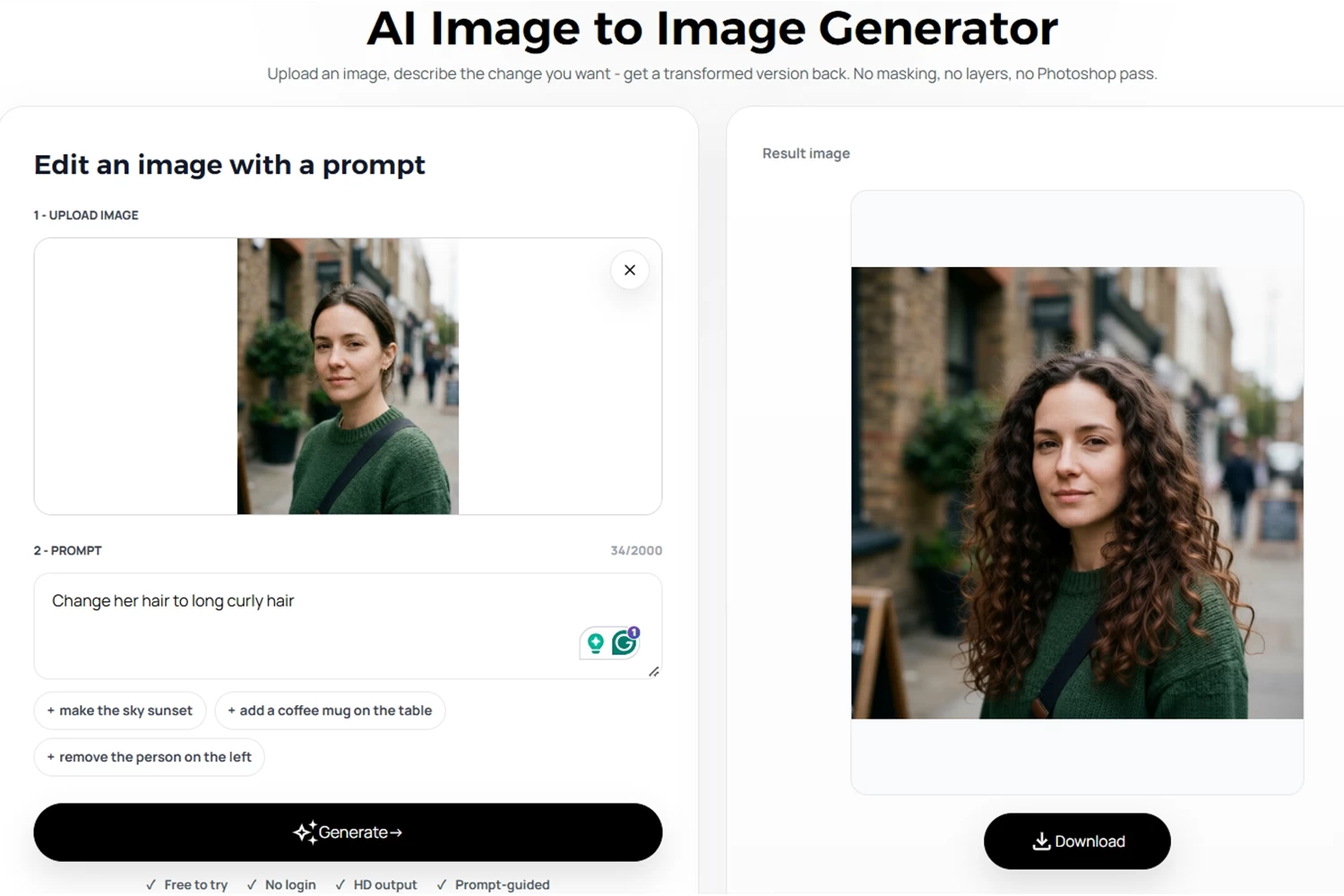
ImageHub provides a straightforward, accessible free online AI image to image generator built for quick turnarounds directly inside your web browser. The platform removes technical friction by eliminating local hardware bottlenecks and bulky software downloads, allowing users to upload graphics, assign styles, and obtain fresh assets within moments. It serves as an accessible entry point for small business owners, social media managers, and design students who need reliable visual modifications without navigating complex parameter setups or setting up local computational environments.
Pros:
- Browser-based workflow requires zero local GPU resources or setup.
- Intuitive UI allows absolute beginners to generate assets immediately.
- Accessible daily allowances support consistent creative experimentation.
Cons:
- Lacks nuanced micro-control over sampling steps and prompt weightings.
- Web platform includes ad placements that can disrupt navigation.
- Maximum output resolution is limited on baseline free tiers.
5. Krea.ai
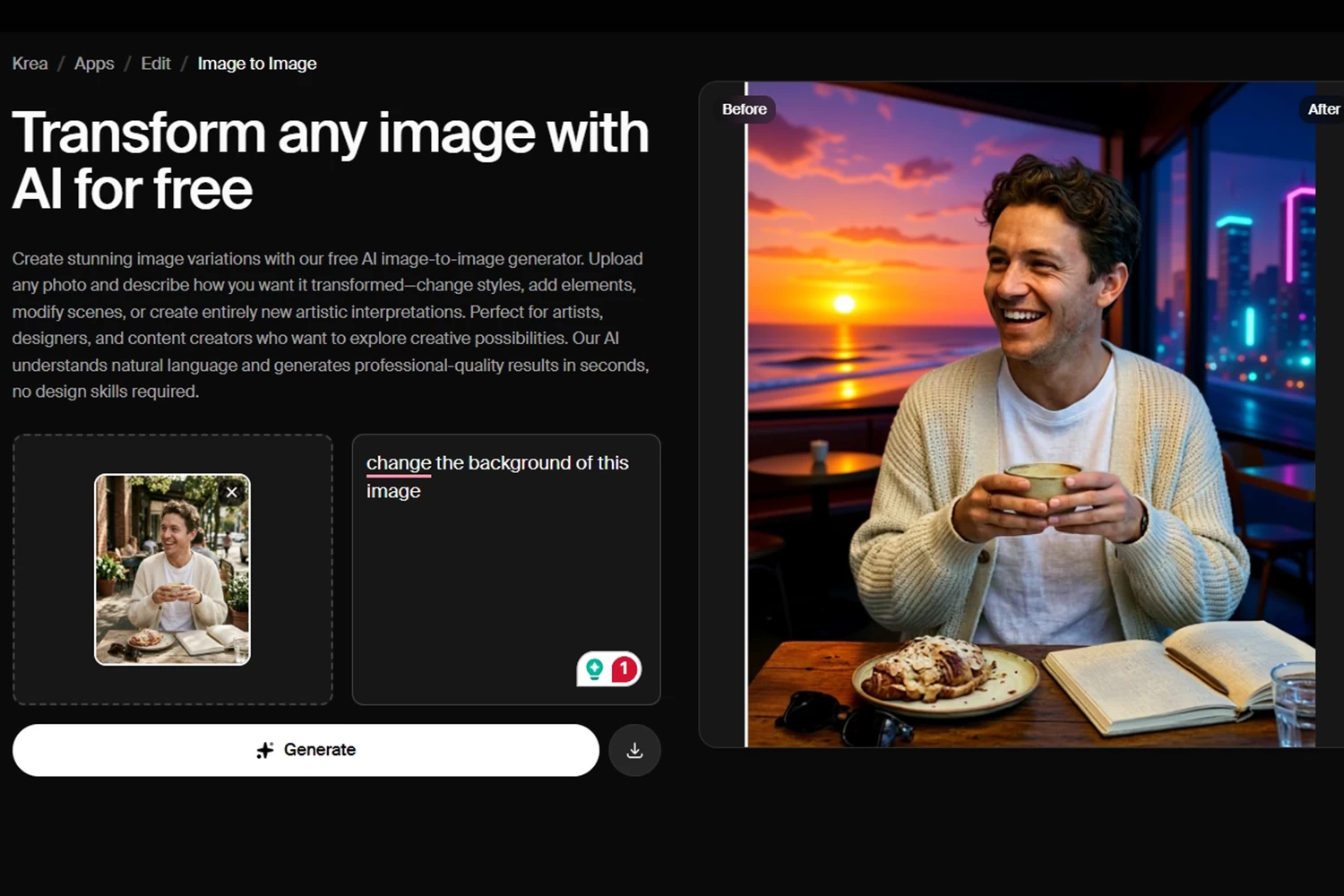
Krea has redefined real-time generation as an intuitive image to image AI generator, giving creators live rendering feedback as they paint, adjust sliders, and modify references. This immediate visual responsiveness bridges the gap between analog drawing habits and modern machine learning, making it a favorite among concept illustrators and art directors. Rather than waiting through a queue, you see the artwork update dynamically alongside your adjustments, speeding up early-stage ideation, composition testing, and color exploration across creative brainstorming workflows.
Pros:
- Real-time canvas delivers immediate visual feedback as settings shift.
- Interactive slider controls let you fine-tune transformation strength easily.
- Excellent platform for rapid visual brainstorming and layout drafting.
Cons:
- Demands higher system memory and browser processing power to run smoothly.
- Ultra-fast render passes can occasionally introduce minor edge artifacts.
- Mastering responsive real-time generation requires hands-on canvas practice.
6. Image-to-Image.ai
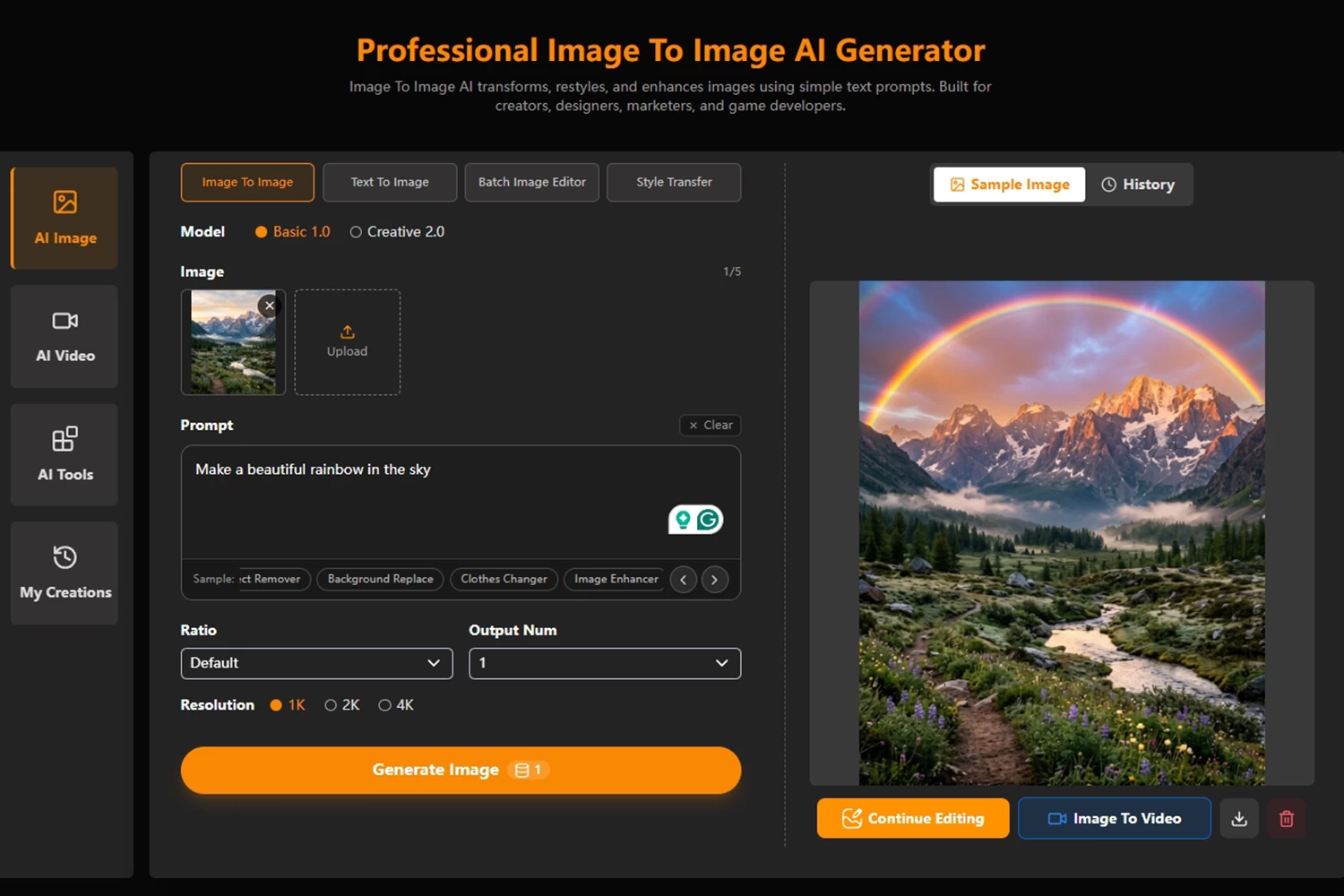
For creators requiring strict alignment between visual anchors and written instructions, this image to image AI generator with prompt platform combines reference images with targeted language descriptions. The interface processes source photos while tracking prompt modifiers like lighting conditions, stylistic eras, and rendering engines. This balanced multimodal setup ensures that the resulting artwork preserves the original structure while incorporating requested changes, making it an efficient choice for creating localized variations of existing marketing assets and illustrative assets.
Pros:
- Effective balance between text prompt directives and visual constraints.
- Clean, focused interface designed specifically for reference transformations.
- Broad support for common digital asset extensions and file sizes.
Cons:
- User interface retains a minimalist aesthetic with limited organizational folders.
- Free generation queues experience occasional delays during peak usage.
- Text prompt parser can occasionally interpret metaphorical prompts too literally.
7. EZMaker.ai
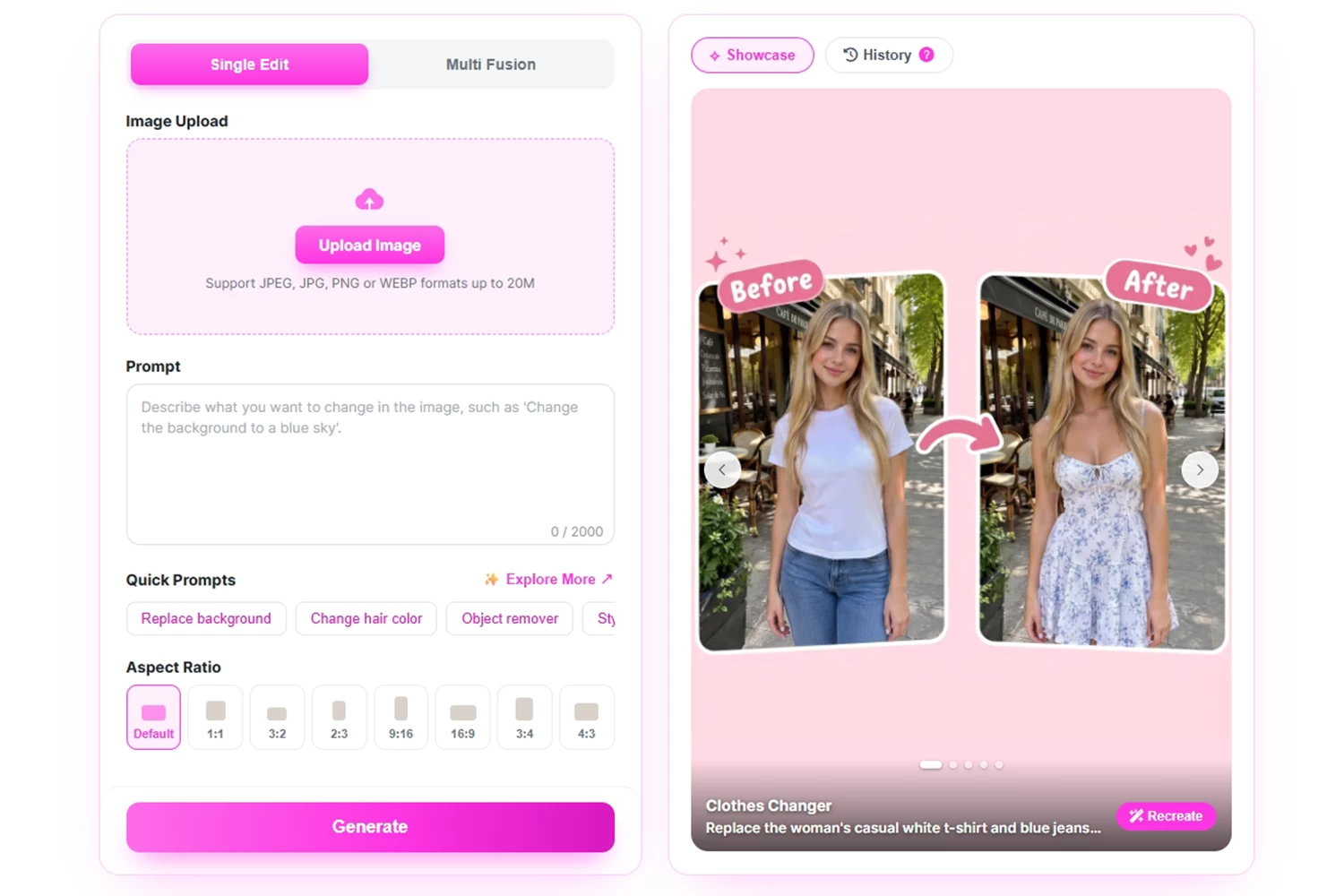
EZMaker focuses on accessible image synthesis, positioning itself as an efficient AI image generator from a picture built for non-technical users and general digital creators. The site streamlines the entire transformation pipeline into a guided, few-click workflow, eliminating technical hurdles like seed numbers, CFG scales, and negative prompt configuration. By selecting preset aesthetic profiles and uploading a base snapshot, users can produce stylized portraits, artistic landscape variations, and unique digital avatars within seconds without manual configuration.
Pros:
- Streamlined drag-and-drop workflow built for rapid creative turnarounds.
- Well-calibrated style presets deliver clean results on the first generation.
- Fast rendering cycles let creators iterate through variations quickly.
Cons:
- Offers minimal manual parameter customization for advanced design professionals.
- Artistic modifications are largely constrained to predefined internal templates.
- Exported assets on basic tiers may carry default watermarks.
8. XImageGenerator
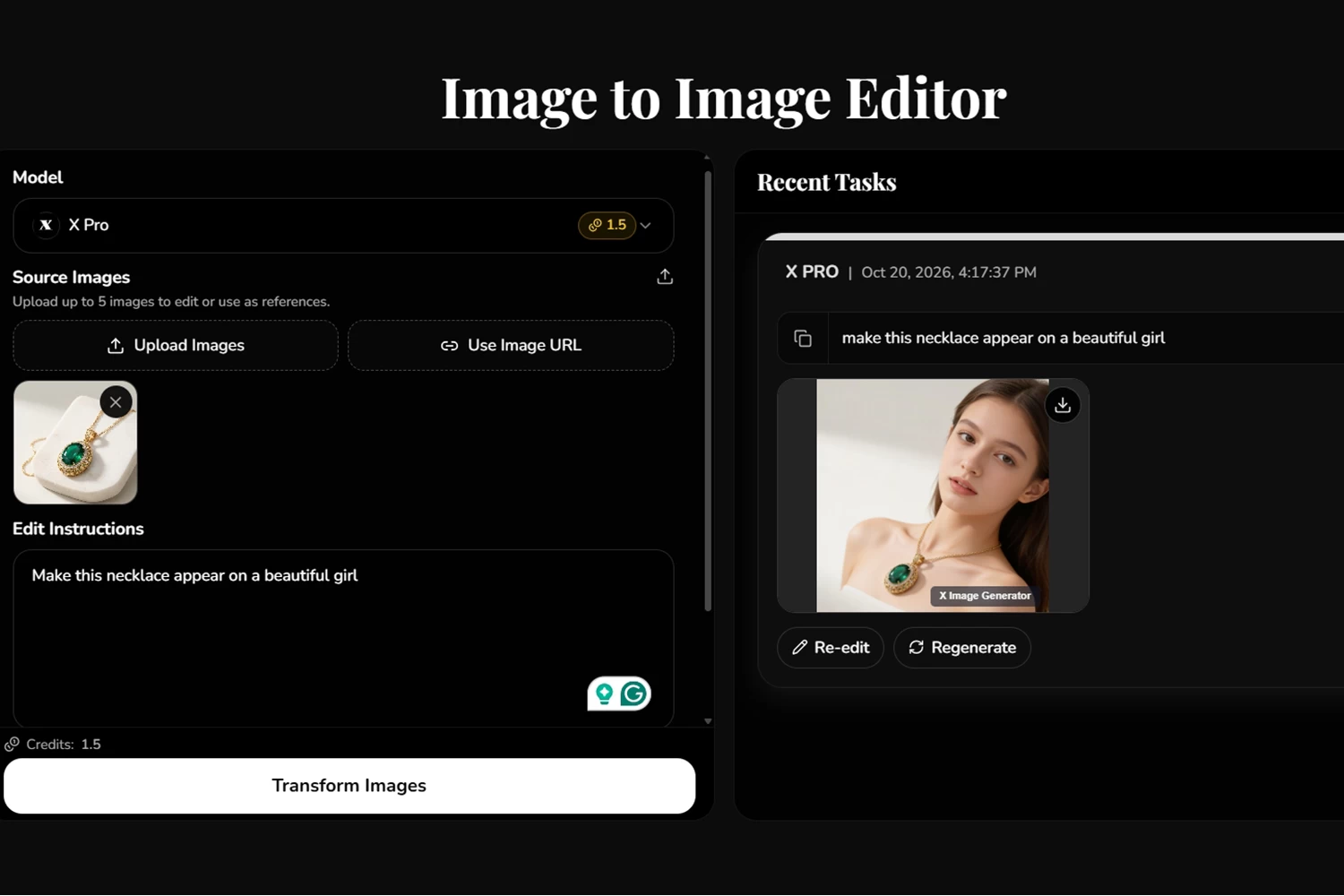
Providing budget-friendly creative tools, XImageGenerator stands out as a dependable free AI image to image generator from restrictive paywalls or aggressive credit limits. It emphasizes reliable transformations that retain the underlying structural contours and balance of uploaded source files. Whether you need to convert product photos into seasonal variations or restyle basic sketches into finished digital artwork, this straightforward system balances quick cloud processing with accessible free usage tiers for hobbyists and freelance creators.
Pros:
- Generous free tier permits frequent image synthesis without upfront payments.
- Preserves original subject silhouettes and compositional layout reliably.
- Fast cloud processing produces clean previews within a few seconds.
Cons:
- Website infrastructure experiences occasional latency under heavy server loads.
- Available artistic filter collections are smaller than those of top-tier platforms.
- Lacks advanced inpainting and localized masking utilities for targeted edits.
9. Kling.ai
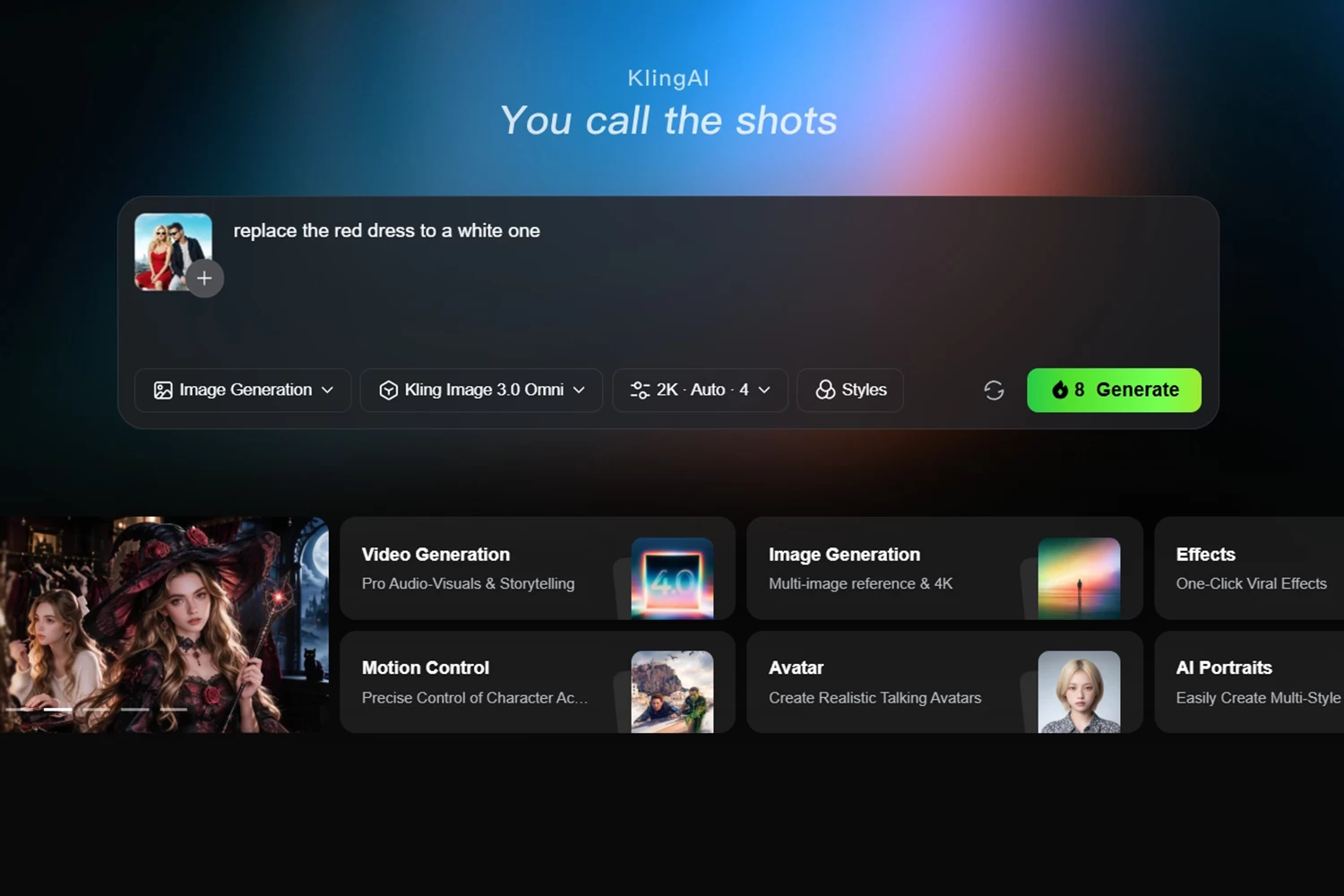
Originally recognized for its cinematic video features, Kling.ai also functions as an impressive AI photo generator from photos for production studios and visual artists. The underlying model parses visual depth, surface textures, dynamic highlights, and shadow gradients, translating these cues into polished new static renders. Its robust structural understanding allows creators to transition reference designs across multiple artistic themes without losing subject identity, making it a valuable tool for entertainment pre-visualization pipelines.
Pros:
- Advanced understanding of lighting, surface textures, and physical depth.
- Generates cohesive visual assets ready for professional pre-visualization pipelines.
- Integrates smoothly into motion design and video generation workflows.
Cons:
- Studio dashboard is tailored primarily toward video generation features.
- High processing demands can lead to extended rendering queues.
- Subscription packages target commercial agencies and professional studios.
10. ImgUpscaler
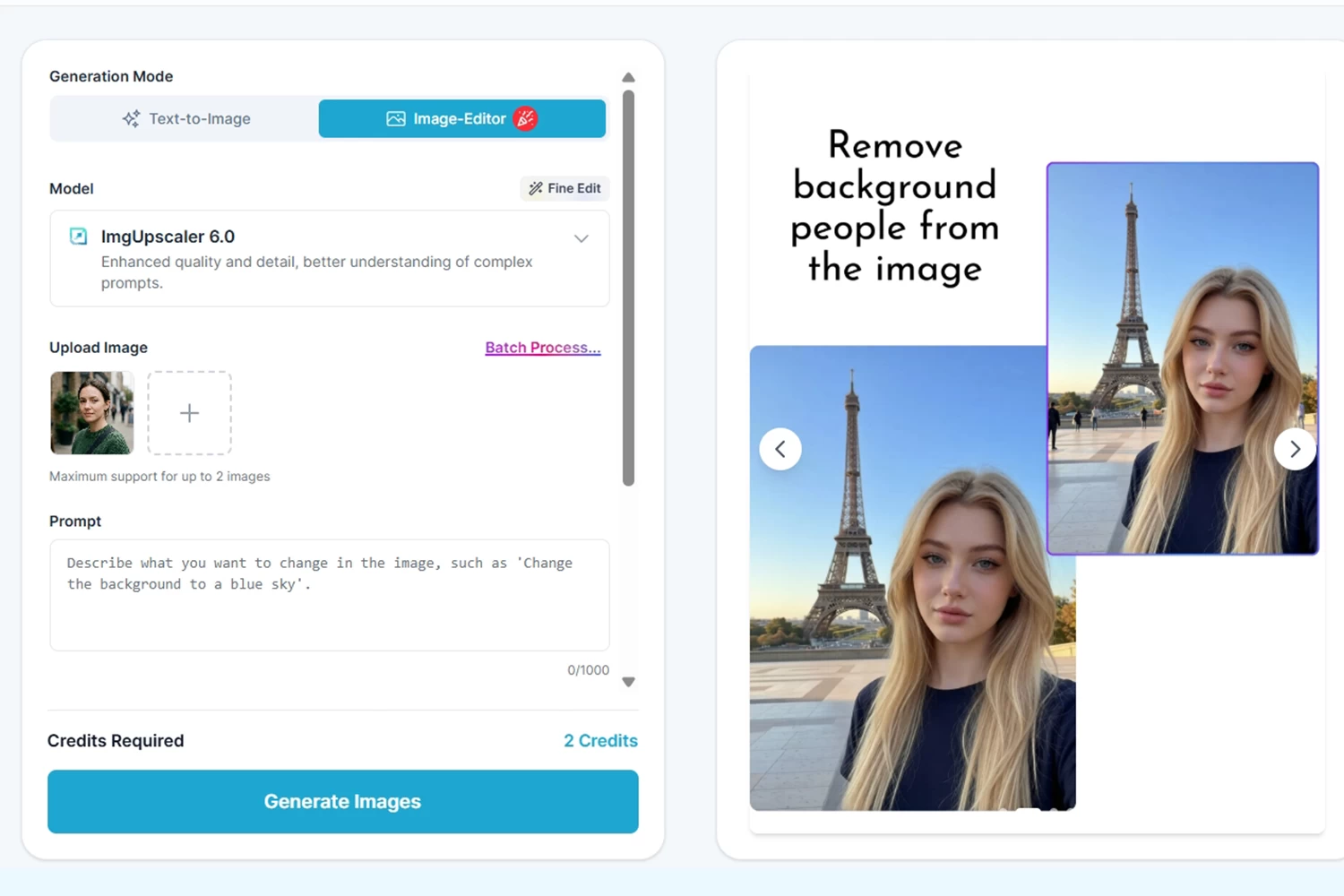
While celebrated for detail enhancement, ImgUpscaler features an integrated photo-to-photo AI generator that restores, restyles, and elevates lower-resolution snapshots into detailed digital artwork. The system analyzes missing surface information, sharpens blurry focal elements, and layers stylistic upgrades over aged or low-resolution files. This makes it an ideal option for users wanting to update vintage family photos, clean up compressed mobile captures, or convert casual snapshots into refined, print-ready illustrations.
Pros:
- Effectively restores and stylizes lower-resolution or compressed base images.
- Simple one-click interface requires no technical graphics knowledge.
- Clear privacy protocols automatically clear uploaded content from cloud servers.
Cons:
- Stylization parameters are narrower compared to dedicated generative art suites.
- Concurrent batch processing requires a higher-tier subscription.
- Transformation quality depends heavily on baseline lighting in the source file.


Leave a Comment