

Quick Answer
For users who want the best online background remover 2026, PicWish stands out for its fast AI detection, clean cutouts, batch processing, high-resolution exports, and beginner-friendly interface. However, several other tools may better suit different needs and budgets.
How We Chose the Best Online Background Removers
To identify the best background remover online 2026, we evaluated each option using a consistent set of criteria that matter most to users. The key factors we considered include:
- AI accuracy – how well each tool detects subjects and preserves fine details such as hair and transparent objects
- Processing speed – how quickly images are edited without compromising quality
- Image quality – the final output quality, including edge precision and overall cleanliness
- Ease of use – how accessible the tool is for both beginners and experienced users
- Batch editing – the ability to process multiple images efficiently
- Export quality – supported file formats and available resolution options
- Pricing – the value offered across free and paid plans
- Supported platforms – availability across web, desktop, and mobile for different workflows
Best Background Remover Online Tools 2026
1. PicWish
PicWish is our top pick for the best background remover online 2026 thanks to its accurate AI, fast processing, high-quality results, and beginner-friendly interface. It accurately detects subjects, including fine details like hair and fur, making it a reliable choice for product photography, portraits, marketing materials, and everyday image editing. In addition to background removal, PicWish offers a suite of AI editing tools to streamline photo enhancement workflows.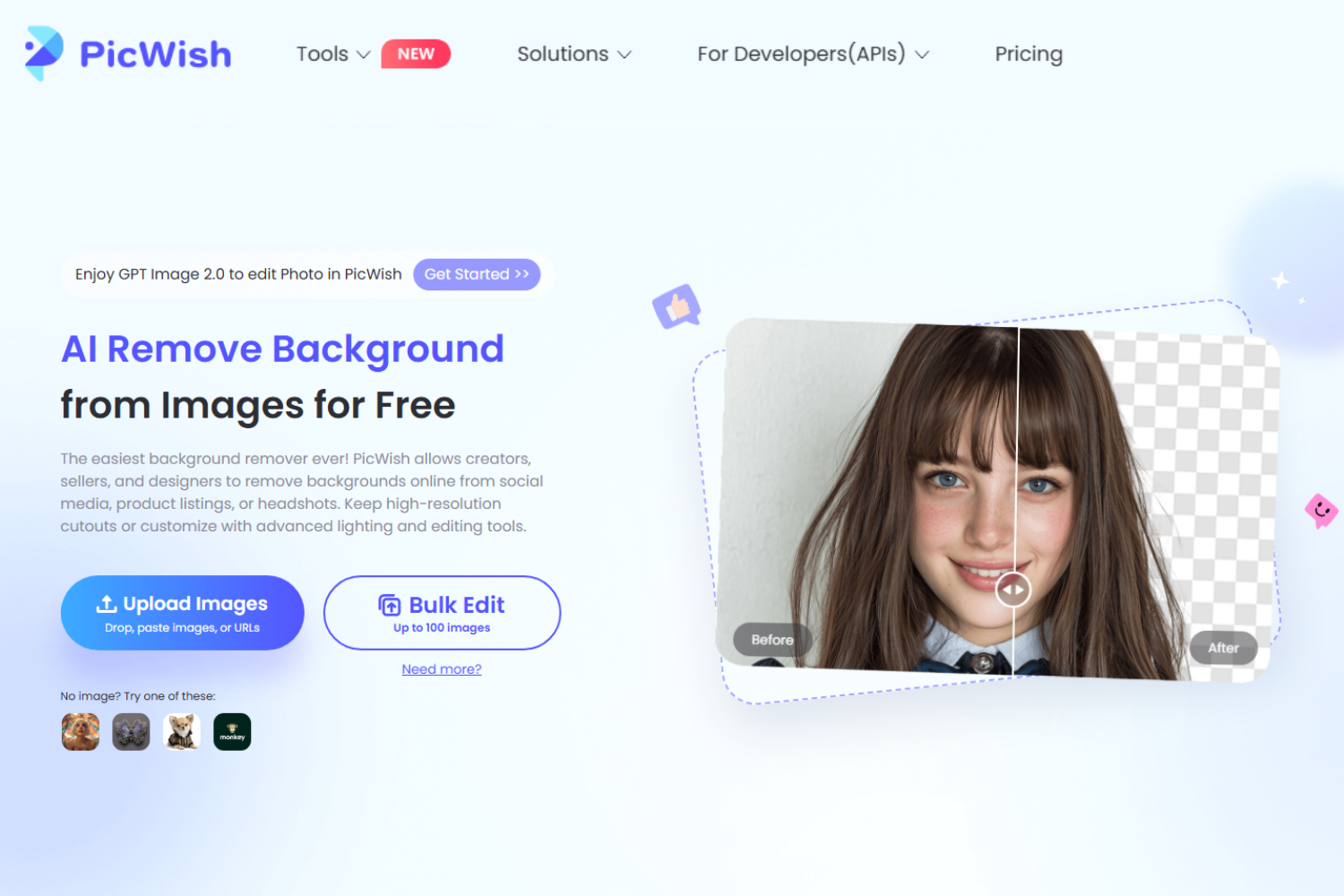
Key Features:
- AI-powered background removal with precise edge detection
- Supports batch background removal for multiple images
- High-resolution exports with transparent backgrounds
- Background color replacement and custom background uploads
- AI editing tools, including Photo Enhancer, AI Background Generator, Photo Retouch, and more
- Available on web, Windows, iOS, and Android
Pros:
- Fast and accurate AI subject detection
- Easy-to-use interface suitable for beginners
- Supports batch processing for increased productivity
- High-quality exports with clean edges
- Available across multiple platforms
Cons:
- Some advanced features require credits or a paid subscription
- Free usage comes with certain export limitations
Best For:
eCommerce sellers, marketers, content creators, designers, and anyone looking for a fast, reliable, and easy-to-use AI background remover.
2. Remove.bg
Remove.bg is one of the most well-known AI background removers, designed to automatically remove image backgrounds in seconds. Its simple interface and API integration make it a popular choice for individuals, businesses, and developers.
Key Features:
- One-click AI background removal
- High-resolution image downloads
- Batch processing for desktop users
- API integration for automated workflows
- Integrations with popular design software
Pros:
- Fast and accurate background removal
- Simple and intuitive interface
- Offers API and software integrations
- Suitable for business workflows
Cons:
- High-resolution downloads require credits
- Limited editing tools beyond background removal
Best For:
Businesses, developers, and users who need fast background removal with workflow integrations.
3. Adobe Express
Adobe Express combines AI-powered background removal with a complete suite of graphic design tools. It allows users to remove backgrounds and continue editing images for social media, presentations, marketing materials, and more.
Key Features:
- AI background remover
- Built-in templates and design assets
- Photo editing and text tools
- Cloud storage and cross-device access
- Integration with Adobe Creative Cloud
Pros:
- Comprehensive design platform
- Easy integration with Adobe products
- Beginner-friendly editing interface
- Large template library
Cons
- Some premium features require a subscription
- Background removal is only one part of the platform
Best For:
Content creators, marketers, and users already working within the Adobe ecosystem.
4. Canva
Canva is one of the best online background remover tools 2026 for users who want to edit images and create professional designs in one place. It is an all-in-one design platform that includes an AI background remover as part of its Pro plan. It enables users to quickly remove backgrounds and create presentations, social media graphics, posters, and other visual content.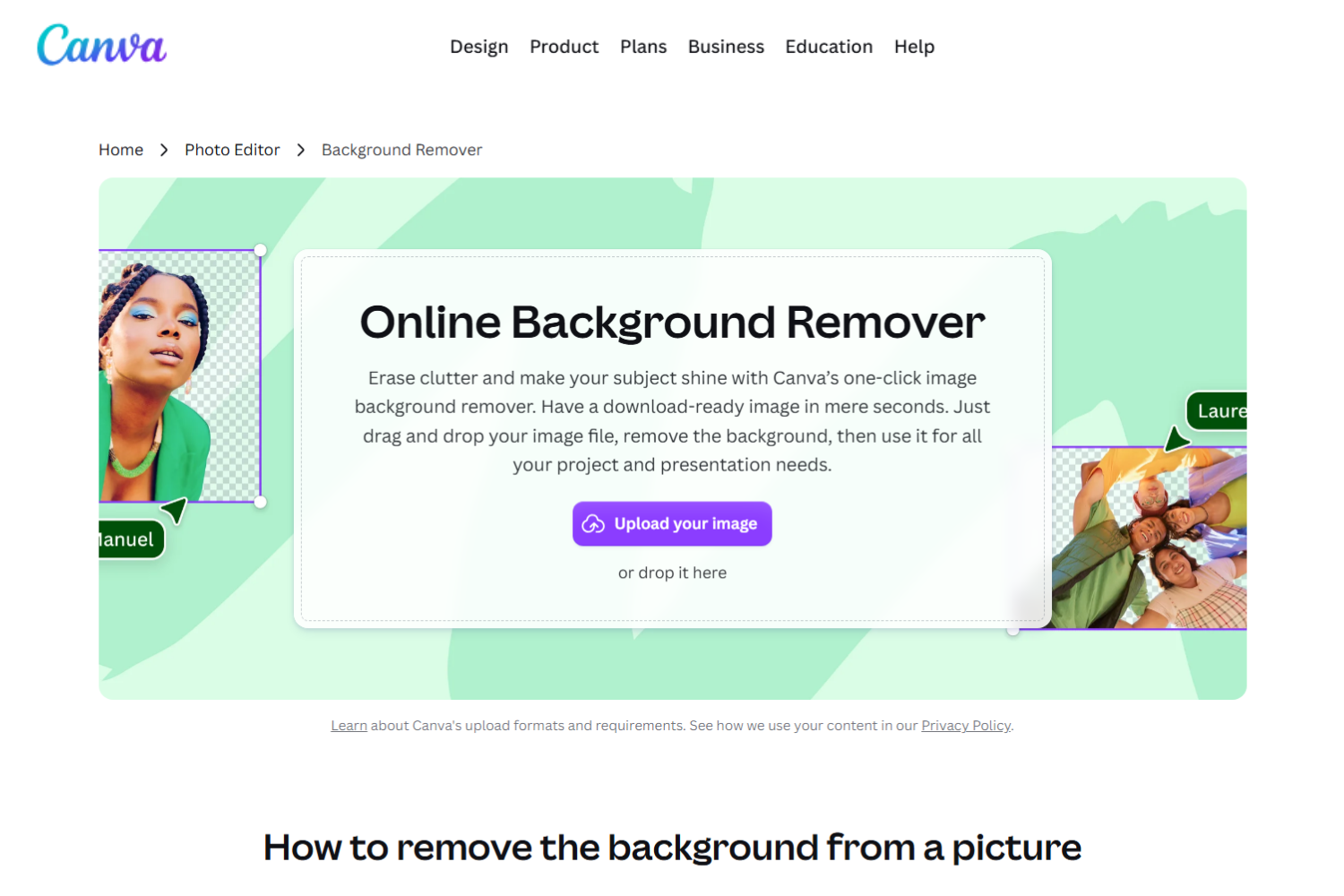
Key Features:
- AI-powered background removal
- Drag-and-drop design editor
- Extensive template library
- Collaboration and brand management tools
- Cloud-based editing
Pros:
- Easy to use
- Large collection of templates
- Great for collaborative projects
- Combines design and photo editing
Cons:
- Background Remover is limited to Canva Pro
- Less control over fine edge refinements
Best For
Social media managers, educators, small businesses, and beginners creating visual content.
5. Photoroom
Photoroom specializes in AI-powered product photo editing and background removal. It offers tools for creating professional product images, making it especially popular among online sellers and marketplace merchants.
Key Features:
- AI background removal
- Product photo templates
- AI background generation
- Batch editing
- Mobile and web access
Pros:
- Excellent for product photography
- Beginner-friendly interface
- Includes AI editing features
- Supports batch workflows
Cons:
- Premium subscription needed for advanced features
- More focused on eCommerce than general photo editing
Best For
Online sellers, marketplace merchants, and small businesses.
6. Fotor
Fotor is one of the best online background remover tools 2026 for users looking for an all-in-one AI photo editor with background removal capabilities. It includes AI background removal alongside image enhancement, retouching, and graphic design tools. It provides an accessible editing experience for users looking for more than basic background removal.
Key Features:
- AI background remover
- Photo enhancement tools
- AI image generation
- Graphic design templates
- Batch editing for selected features
Pros:
- Offers multiple AI editing tools
- Easy to navigate
- Supports various creative projects
- Available on multiple platforms
Cons:
- Some AI features require a premium subscription
- Free version includes limitations
Best For:
Casual users, students, and creators who need an all-around photo editor.
7. Pixelcut
Pixelcut is an AI photo editing platform built primarily for product photography and online selling. It offers fast background removal and AI-powered tools for creating polished product images.
Key Features:
- AI background removal
- AI product photography tools
- Magic Eraser
- Batch editing
- Ready-made templates
Pros:
- Designed for eCommerce
- Quick and simple editing
- Strong AI automation
- Mobile-friendly
Cons:
- Premium features require a subscription
- Less suitable for advanced graphic design projects
Best For:
eCommerce sellers, entrepreneurs, and content creators producing product images.
8. Erase.bg
Erase.bg is an AI-powered background remover that focuses on automatically removing backgrounds from images with minimal effort. It supports various image types and offers quick processing for personal and business use.
Key Features:
- Automatic AI background removal
- High-resolution downloads
- API support
- Bulk image processing
- Multiple image format support
Pros:
- Fast processing
- Simple interface
- API available for businesses
- Supports bulk editing
Cons:
- High-quality exports may require payment
- Limited editing features beyond background removal
Best For:
Individuals and businesses looking for straightforward AI background removal.
9. Pixlr
Pixlr is one of the best background remover online tools 2026 for users who want AI-powered background removal alongside advanced online photo editing features. It is a browser-based photo editor that combines AI-powered background removal with traditional editing tools. It offers more manual editing options than many dedicated background removers, making it suitable for users who want additional creative control.
Key Features:
- AI background removal
- Layer-based photo editing
- AI image generation
- Filters and effects
- Browser-based editing
Pros:
- More advanced editing capabilities
- No software installation required
- Suitable for casual and intermediate users
- Includes creative editing tools
Cons:
- Interface may feel overwhelming for beginners
- Some AI tools require a premium subscription
Best For:
Designers, hobbyists, and users who want both background removal and full-featured online photo editing.
10. Clipdrop
Clipdrop is an AI-powered image editing platform that offers fast and accurate background removal along with a variety of creative editing tools. In addition to removing backgrounds, it provides features such as image cleanup, background replacement, image upscaling, and AI-generated visuals, making it a versatile option for both personal and professional projects.
Key Features:
- AI-powered background removal
- Background replacement
- Cleanup tool for removing unwanted objects
- Image upscaler
- AI image generation and editing
- Available on web and mobile
Pros:
- Accurate and fast background removal
- Includes multiple AI editing tools in one platform
- Easy-to-use interface
- Suitable for both creative and professional workflows
Cons:
- Some advanced AI features require a paid subscription
- Free usage comes with limitations on certain tools and exports
Best For:
Designers, content creators, marketers, and users looking for an AI-powered editing platform with more than just background removal.
Comparison Table of the Best Background Remover Online 2026
| Tool | AI Accuracy | Batch Processing | HD Export | Free Version | Best For |
| PicWish | ⭐⭐⭐⭐⭐ | ✅ | ✅ | ✅ | eCommerce sellers, marketers, designers, and content creators |
| Remove.bg | ⭐⭐⭐⭐⭐ | ✅ | ✅ | ✅ | Businesses, developers, and automated workflows |
| Adobe Express | ⭐⭐⭐⭐☆ | ❌ | ✅ | ✅ | Designers and Adobe Creative Cloud users |
| Canva | ⭐⭐⭐⭐☆ | ❌ | ✅ | ✅ | Social media graphics and marketing materials |
| Photoroom | ⭐⭐⭐⭐⭐ | ✅ | ✅ | ✅ | Product photography and online sellers |
| Fotor | ⭐⭐⭐⭐☆ | ✅ | ✅ | ✅ | General photo editing and creative projects |
| Pixelcut | ⭐⭐⭐⭐⭐ | ✅ | ✅ | ✅ | Product images and eCommerce businesses |
| Erase.bg | ⭐⭐⭐⭐☆ | ✅ | ✅ | ✅ | Quick background removal for personal and business use |
| Pixlr | ⭐⭐⭐⭐☆ | ❌ | ✅ | ✅ | Photo editing with additional creative tools |
| Clipdrop | ⭐⭐⭐⭐⭐ | ❌ | ✅ | ✅ | AI-powered image editing and creative workflows |
Which Background Remover Is Best for You?
The best background remover online depends on your editing needs, workflow, and budget. While every tool on this list can remove backgrounds effectively, some are better suited for specific use cases.
Best for eCommerce
PicWish and Photoroom are excellent choices for online sellers. Both offer AI-powered background removal, batch processing, and tools that help create clean, professional product photos for marketplaces and online stores.
Best for Beginners
If you’re new to photo editing, PicWish, Canva, and Remove.bg are great options. Their intuitive interfaces and one-click AI background removal make it easy to edit images without prior experience.
Best Free Tool
For users looking for a free solution, PicWish, Pixlr, and Erase.bg provide free background removal with useful features. While some limitations apply, they’re excellent choices for occasional editing tasks.
Best for Batch Editing
If you regularly edit multiple images at once, PicWish, Remove.bg, Photoroom, and Pixelcut offer batch processing features that can significantly improve productivity.
Best for Professional Designers
Designers who need more than background removal may prefer Adobe Express, Pixlr, or Clipdrop. These platforms combine AI-powered background removal with advanced editing and design tools, making them suitable for more creative workflows.
Tips for Better Background Removal
Even the best background remover online 2026 can deliver better results when you start with a good-quality image. Follow these tips to achieve cleaner cutouts and more professional-looking edits.
- Use High-Resolution Photos: High-resolution images help AI detect subjects more accurately and create cleaner edges.
- Ensure Good Contrast Between the Subject and Background: Good contrast makes it easier for AI to separate the subject from the background.
- Avoid Blurry Images: Sharp images improve edge detection, while blurry photos can lead to poor cutouts.
- Refine Edges When Needed: Use edge refinement tools to fix details like hair or fur if the result isn’t perfect.
- Export in PNG for Transparency: Save as PNG to keep a transparent background and maintain image quality.
Frequently Asked Questions
📌 What file formats can I export after removing background?
Most background removers support PNG, JPG, and sometimes WEBP. PNG is best for transparent backgrounds, while JPG is ideal for smaller file sizes. Try PicWish for quick exports in PNG or JPG with transparent backgrounds in one click.
📌 Is it safe to upload my images to online background removers?
Trusted tools use encryption and secure servers to protect your files. Still, it’s best to review the platform’s privacy policy for details on storage and deletion.
📌 Can I use background-removed images for commercial purposes?
Yes, most tools allow commercial use for eCommerce, marketing, and social media. Just make sure to check each platform’s licensing terms.
📌 Do online background removers work on mobile devices?
Yes, most tools work on mobile browsers, and some also have apps, so you can remove backgrounds directly from your phone or tablet. The PicWish mobile app (iOS & Android) lets you remove backgrounds instantly on mobile.
📌 How fast is AI background removal for a single image?
It usually takes just a few seconds per image. Speed may vary depending on image size and complexity, but most tools are nearly instant.
Conclusion
Choosing the best background remover online 2026 depends on your needs and budget. All listed tools offer reliable AI background removal, but PicWish stands out for speed, accuracy, batch processing, and high-quality exports. Remove.bg, Canva, Photoroom, Adobe Express, and Clipdrop are also great for specific design or eCommerce use cases.





Leave a Comment