

Got a blurry photo you wish you could fix? Whether it’s a portrait, product shot, or an old memory, blurry images can ruin otherwise great moments. The good news is that you no longer need Photoshop skills—modern AI tools can unblur images and turn a blur image into a clear image in seconds.
In this guide, we’ve tested and compared the best tools to unblur images online in 2026. From one-click AI enhancers to advanced restoration platforms, these tools help you recover details, sharpen edges, and improve overall image quality.
Top AI Tools to Unblur Images at a Glance
| Tool | Best For | Free Option | Key Strength |
|---|---|---|---|
| PicWish | Portrait & general unblur | Yes | AI face enhancement + sharpening |
| Remini | Face restoration | Yes | Strong facial detail recovery |
| Fotor | Casual editing | Yes | Simple AI enhancer |
| VanceAI | Upscaling + sharpening | Limited | High-resolution enhancement |
| LetsEnhance | Professional images | Limited | AI upscale + clarity |
| Adobe Express | Creative workflows | Yes | Integrated editing tools |
| Canva | Design users | Limited | Enhance + design in one |
| Upscale.media | Quick fixes | Yes | Fast auto enhancement |
How to Choose the Best Unblur Image Tool
Not all AI tools perform the same. Some are optimized for portraits, while others focus on general sharpening or resolution enhancement.
- AI reconstruction ability: Can it recover missing details?
- Image type: Portrait, product, text, or landscape
- Ease of use: One-click vs advanced controls
- Output realism: Natural vs over-sharpened results
- Speed: Processing time and batch support
1. PicWish – Best Overall AI Tool to Unblur Images
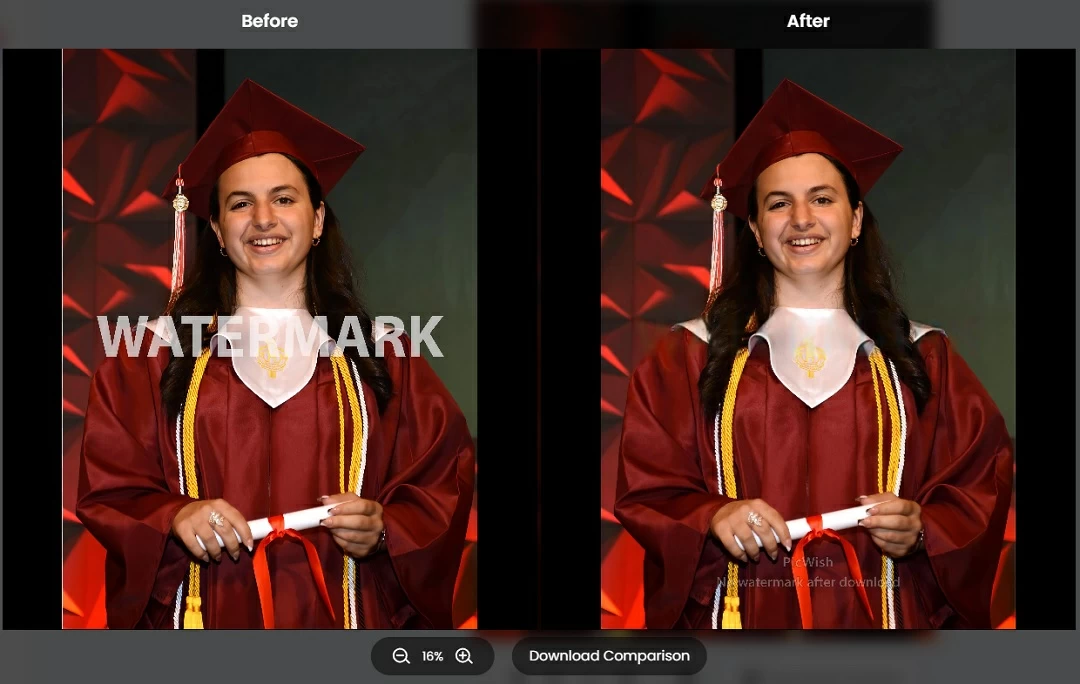
PicWish stands out as one of the most reliable AI tools to unblur images, especially when dealing with portraits and human subjects. Instead of simply sharpening pixels, it uses AI to reconstruct facial features, improve skin texture, and restore lost details in a natural way.
This makes it particularly effective for profile pictures, social media images, and blurry selfies. Even slightly out-of-focus images can be significantly improved with just one click.

Key Features:
- AI-powered facial detail restoration
- Automatic blur to clear image conversion
- Enhances eyes, skin, and textures naturally
- Browser-based with no installation
- Fast processing with high accuracy
Best For: Portraits, selfies, profile images, and social media content
Pricing: Free to try, premium for HD output
Pros: Natural results, easy to use, excellent face recovery
Cons: Less optimized for non-portrait images
2. Remini – Best for Deep Face Restoration
Website: https://remini.ai
Remini is one of the most popular AI tools for restoring faces from blurry images. It uses deep learning models trained on facial data to recreate missing details, making it especially useful for old photos and heavily blurred portraits.
Its mobile-first design also makes it convenient for quick edits directly on your phone.

Key Features:
- Advanced face reconstruction AI
- Old photo restoration capabilities
- Automatic sharpening and enhancement
- Mobile app support
Best For: Old photos, damaged portraits, selfies
Pricing: Free with ads, subscription for full access
Pros: Extremely strong face recovery
Cons: Can look over-processed
3. Fotor – Best Beginner-Friendly Unblur Tool
Fotor is a simple online editor that includes an AI image enhancer capable of improving blurry photos. While not as advanced as specialized tools, it provides a quick and easy way to sharpen images without technical knowledge.
It also includes additional editing features like filters, brightness adjustment, and contrast tuning, making it a good all-in-one solution.

Key Features:
- AI-powered image enhancement
- Basic sharpening and clarity tools
- Full online editing suite
- Beginner-friendly interface
Best For: Casual users and quick edits
Pricing: Free with premium upgrade
Pros: Easy to use, all-in-one editor
Cons: Limited advanced AI capabilities
4. VanceAI – Best for Upscaling and Detail Enhancement
VanceAI combines unblurring and upscaling into a single workflow. This means you can not only sharpen a blurry image but also increase its resolution, making it ideal for printing or large displays.
It also includes noise reduction features, which help clean up grainy images during the enhancement process.

Key Features:
- AI image upscaling up to high resolution
- Noise reduction and sharpening
- Batch processing support
- Cloud-based processing
Best For: Enlarging blurry images and improving quality
Pricing: Free credits available
Pros: Combines upscaling + sharpening
Cons: Credit-based limitations
5. LetsEnhance – Best for Professional Image Quality
LetsEnhance is designed for professionals who need high-quality image outputs. It uses advanced AI models to enhance clarity, improve color balance, and upscale images while preserving detail.
It’s particularly useful for e-commerce images, marketing materials, and high-resolution visuals.

Key Features:
- AI-based sharpening and upscaling
- Color and lighting correction
- Supports large image outputs
- Professional-grade results
Best For: Business, marketing, and product images
Pricing: Limited free credits
Pros: High-quality output
Cons: Not fully free
Tips to Turn Blur Images into Clear Images
- Use the highest resolution original image available
- Combine sharpening with upscaling for better results
- Avoid excessive enhancement to keep images natural
- Use portrait-focused tools for faces
Frequently Asked Questions
1. Can AI really unblur images?
Yes, AI can reconstruct details and significantly improve clarity, especially for portraits.
2. What is the best tool to unblur images?
PicWish is one of the best for portraits, while VanceAI works well for general enhancement.
3. How do I convert a blur image to a clear image?
Upload your image to an AI tool, process it automatically, and download the improved version.
4. Are free tools effective?
Yes for basic use, but paid versions offer better resolution and quality.
5. Can I fix old blurry photos?
Yes, tools like Remini and PicWish are designed for restoration.
Final Thoughts
Blurry images are no longer unusable. With AI tools, you can easily unblur images and restore clarity in seconds.
Start with PicWish AI Unblur Tool for the fastest and most natural results, especially for portraits.
Try different tools depending on your needs and enjoy sharper, clearer images instantly.




Leave a Comment