

If you have a photo ruined by a logo, text overlay, date stamp, or unwanted mark, finding a fast way to remove image watermark online free can save you a lot of time. Instead of struggling with complicated cloning tools or manual retouching, today’s AI watermark removers can detect unwanted elements and rebuild the background in seconds. In this guide, we compare the best AI tools in 2026 for removing watermarks, text, stamps, and small distracting objects from images online.
Some tools are better for automatic watermark detection, some are stronger for manual cleanup, and others are more useful when you want batch editing or broader photo repair features. Below, you’ll find the top tools to help you choose the right option faster.
Top AI Watermark Removers at a Glance
| Tool | Best for | Free option | Key strength |
|---|---|---|---|
| PicWish | Best overall for easy AI watermark removal | Yes | Auto detection plus manual cleanup and natural background fill |
| WatermarkRemover.io | Fast automatic watermark removal | Yes | Very simple one-click workflow |
| insMind | Precise watermark, logo, and stamp cleanup | Yes | Auto and manual removal modes |
| Fotor | Batch watermark removal and casual editing | Yes | Online AI removal with broader photo editor tools |
| AirBrush | Browser-based cleanup with no install | Yes | Easy online watermark and text removal |
| PixelBin | Bulk workflows and multiple file formats | Yes | Batch-friendly AI watermark remover |
| BeFunky | Manual cleanup inside an online editor | Limited | Object removal plus wider photo editing workflow |
How We Chose the Best Tools
Not every watermark remover works the same way. Some are best for clear text overlays. Others handle logos, date stamps, signatures, or repeated patterns more effectively. For this list, we focused on the features that matter most in real use.
- Removal quality: Whether the tool can erase watermarks cleanly and rebuild the background naturally.
- Ease of use: Whether beginners can upload an image and get results in a few clicks.
- Free usability: Whether the free version is actually useful for testing or light use.
- Manual control: Whether users can refine difficult areas after auto removal.
- Workflow fit: Whether the tool is good for one-off cleanup, repeated use, or bulk edits.
1. PicWish — Best Overall Tool to Remove Image Watermarks Online
PicWish is one of the strongest overall choices if you want to remove image watermark online free without dealing with a steep learning curve. It is designed for users who want a quick AI workflow but still need flexibility when automatic removal alone is not enough. That makes it a practical choice for cleaning logos, text overlays, timestamps, signatures, and similar distractions from photos.
What makes PicWish especially useful is that it supports both AI-powered automatic removal and more targeted cleanup options. That balance makes it suitable for casual users, content creators, and anyone who wants a natural-looking result without spending too much time on manual editing.

Key features
- AI watermark, logo, and text removal
- Automatic detection plus manual cleanup modes
- Natural background reconstruction
- Useful for photos, stamps, signatures, and overlays
- Simple online workflow
Best for
Users who want an easy all-around watermark remover with both automatic and more controlled cleanup options.
Pricing
Free access is available for trying the feature, with paid options for heavier use, better exports, or broader tool access.
Pros
- Very beginner-friendly
- Good balance of speed and cleanup quality
- Useful for more than one watermark type
- Supports both auto and manual-style workflows
Cons
- Complex backgrounds may still need touch-up
- Best output quality may depend on paid usage
2. WatermarkRemover.io — Best for One-Click Automatic Removal
WatermarkRemover is a strong choice if your priority is speed. It focuses heavily on automatic watermark removal, which makes it ideal for users who want a quick upload-and-clean workflow with minimal setup. If the watermark is clear and the surrounding background is not too complex, it can be one of the fastest tools to try.

Key features
- One-click AI watermark removal
- Browser-based workflow
- No complex editing needed
- Good for quick text and logo cleanup
Best for
Users who want the simplest possible workflow for removing obvious watermarks fast.
Pricing
Offers a free option for online use, with broader usage and advanced access tied to paid plans or business workflows.
Pros
- Very fast and simple
- Minimal learning curve
- Good for clean, repeated watermark patterns
Cons
- Less flexible for difficult manual cleanup
- Complex image areas may need a second tool
3. insMind — Best for Precise Watermark and Stamp Removal
insMind is a useful option if you want both automatic detection and more precise editing control. It is positioned as an AI watermark remover for logos, text, and stamps, and it also supports manual brushing for users who want to refine the erased area. That makes it more flexible than purely one-click tools.

Key features
- AI watermark, logo, and stamp removal
- Automatic and manual brush modes
- Online workflow for quick cleanup
- Designed to preserve image detail after removal
Best for
Users who want more precise control when removing logos, signatures, stamps, or awkward overlays from photos.
Pricing
Free access is available for testing, with premium or higher-volume use typically handled through paid plans.
Pros
- More flexible than one-click-only tools
- Good for multiple watermark types
- Simple browser-based workflow
Cons
- Results can vary on busy backgrounds
- Some cleanup may still require extra passes
4. Fotor — Best for Batch Watermark Removal
Fotor is a practical option for users who want watermark removal inside a larger online photo editor. It is especially appealing if you need more than a single cleanup task, since it also supports broader image editing features. Its batch-oriented watermark remover makes it more useful for repeated work than some lightweight one-off tools.

Key features
- AI watermark and text removal
- Batch watermark removal workflow
- Online editor with extra image tools
- Useful for stamps, logos, and overlays
Best for
Users who need repeated cleanup tasks or want watermark removal alongside other online image editing features.
Pricing
Usually includes free access with limits, while higher-resolution exports, batch use, or more advanced workflows may require a paid plan.
Pros
- Good broader editor workflow
- Useful batch support
- Easy for casual users
Cons
- Not the most specialized single-purpose remover
- Heavy users may still need premium access
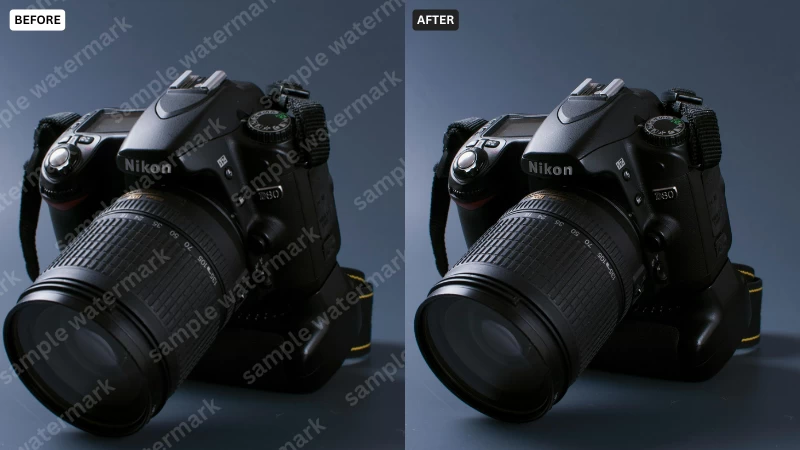
5. AirBrush — Best No-Install Browser Option
AirBrush is a useful choice for users who want a fully browser-based watermark remover with minimal friction. Its official positioning emphasizes no installation and no sign-up for some workflows, which makes it attractive for quick cleanup tasks when you do not want to create an account or learn a full editor.
Key features
- Browser-based image watermark remover
- No-install workflow
- Useful for logos, text, and marks
- Designed to preserve image clarity after cleanup
Best for
People who want fast cleanup in a browser without extra setup.
Pricing
Offers online access for quick use, with heavier or premium workflows typically tied to a paid plan.
Pros
- Low-friction experience
- No-install convenience
- Good for quick one-off jobs
Cons
- Less workflow depth than broader editors
- May not be ideal for bulk processing
6. PixelBin — Best for Bulk Watermark Removal Workflows
PixelBin is worth considering if you care about bulk workflows, file-format flexibility, and faster processing across multiple images. It is positioned as a watermark remover that can handle multiple formats and batch use, which makes it more suitable for teams or users with higher-volume cleanup needs.

Key features
- AI watermark removal for multiple formats
- Batch-friendly workflow
- Desktop and mobile accessibility
- Designed for faster repeated processing
Best for
Users who need to clean multiple images and prefer a more scalable workflow.
Pricing
Provides free online access for trying the tool, with larger-scale usage typically depending on paid plans or platform limits.
Pros
- Good for bulk jobs
- Supports multiple formats
- Useful for more repetitive workflows
Cons
- More than casual users may need
- Not as lightweight as one-click-only tools
7. BeFunky — Best for Manual Cleanup in an Online Editor
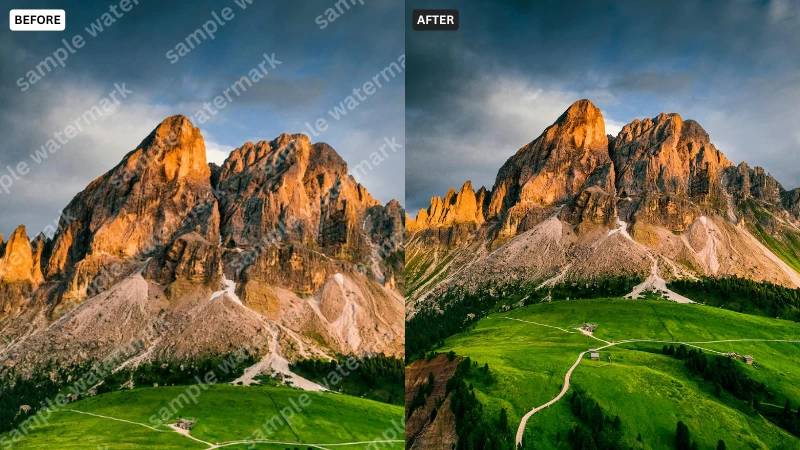
BeFunky is a better fit when you want a more traditional online editing experience rather than a dedicated AI-only remover. It offers object removal and general image editing tools, which makes it useful if you want to clean up a watermark and then continue editing the image in the same workspace.
Key features
- Object removal inside an online photo editor
- Broader image editing workflow
- Useful for manual cleanup and touch-up
- Suitable when you want editing after removal
Best for
Users who prefer editing flexibility and do not mind a slightly more hands-on workflow.
Pricing
Some features are available in free use, while more advanced capabilities may depend on BeFunky Plus.
Pros
- Good for combined editing tasks
- Helpful when AI auto-removal is not enough
- Familiar editor-style workflow
Cons
- Less specialized for instant AI removal
- Premium features may be needed for heavier use
Which Tool Is Best for You?
The best option depends on the kind of watermark and workflow you have.
- Best overall: PicWish
- Best one-click option: WatermarkRemover.io
- Best for precise logo and stamp cleanup: insMind
- Best for batch workflows: Fotor
- Best no-install browser tool: AirBrush
- Best for bulk formats: PixelBin
- Best editor-style cleanup: BeFunky
If you want the easiest all-around way to remove image watermark online free, PicWish is one of the best starting points because it balances AI automation, flexibility, and ease of use. If you only care about pure one-click speed, WatermarkRemover.io is also a strong choice. If you want more control over awkward or uneven marks, insMind is worth trying.
Free vs Paid Watermark Removers
Many people search for free tools because they only need to clean one or two images. That makes sense, but there are usually trade-offs.
- Free plans may limit export quality or file size
- Some tools restrict the number of edits or downloads
- Batch processing may be reserved for paid tiers
- More advanced cleanup or larger workflows usually work better on paid plans
If you are doing occasional cleanup, a free plan is often enough. If you need repeated editing, cleaner exports, or higher-volume workflows, paid options usually save time and frustration.
Tips for Better Watermark Removal Results
- Use the highest-quality original image you have
- Try automatic removal first, then refine difficult spots manually if needed
- Simple backgrounds are easier to rebuild naturally
- For repeated logos or dense patterns, test more than one tool
- Always keep a copy of the original image before editing
AI tools have improved a lot, but results still depend on the size of the watermark and the complexity of the background behind it.
Final Verdict
In 2026, it is much easier to remove image watermarks online than it used to be. The best tool depends on whether you want instant one-click cleanup, more precise manual control, or support for batch workflows.
For most users, PicWish is one of the best overall choices because it keeps the process simple while still offering practical flexibility for different watermark types. If you want a reliable starting point for cleaning logos, stamps, or text overlays from your own images, it is a strong option to try first.
FAQ
What is the best tool to remove image watermark online free?
For most users, PicWish is one of the best overall choices because it combines AI automation with practical cleanup flexibility in a simple online workflow.
Can AI remove watermarks from images automatically?
Yes. Many modern tools can detect and erase logos, text, and stamps automatically, then rebuild the background using AI inpainting or fill technology.
Is there a free online watermark remover that actually works?
Yes. Several tools offer free online access for light use or testing, including PicWish, WatermarkRemover.io, insMind, Fotor, AirBrush, and others.
Will removing a watermark lower image quality?
It depends on the tool and the image. Better AI removers try to preserve texture and detail, but difficult backgrounds or large marks can still leave visible artifacts.
Can I remove date stamps and signatures from old photos?
Yes. Many AI watermark removers also work well for date stamps, signatures, labels, and small unwanted text overlays.
What is the difference between a watermark remover and an object remover?
A watermark remover is optimized for logos, text, stamps, and repeated overlay patterns. An object remover is broader and may be better for removing people, clutter, or irregular elements from a photo.




Leave a Comment