
Why Repurpose Product Photos?
Creating new product photography for every marketing campaign can take considerable time and resources. Repurposing product photos allows you to get more value from images you already have instead of starting from scratch every time you need a new visual.
A single product image can serve as the foundation for multiple creative assets. You can change its surroundings, composition, mood, and presentation to fit different marketing purposes while keeping the featured product consistent.
Benefits of repurposing product photos include:
- Save time and production resources
- Get more value from existing product photography
- Create more content from fewer source images
- Adapt visuals to different marketing channels
- Keep product presentation consistent
- Create fresh visuals for different campaigns
How to Repurpose Product Photos for Different Marketing Channels
The key to effective product photo repurposing is to adapt the image to its intended use rather than using the exact same visual everywhere. Start with one clear product photo, identify the marketing channel, and decide what the new image needs to accomplish. Then adjust the scene, composition, format, and visual style to match that purpose.
| Marketing Purpose | Recommended Composition | What to Consider |
| Ecommerce | Product-focused | Keep the product prominent and easy to see |
| Social Media | Engaging, attention-grabbing | Use an eye-catching scene that works well in a feed |
| Stories | Vertical | Leave enough space for text and interactive elements |
| Website | Wide composition with text space | Position the product to allow room for headlines and CTAs |
| Ads | Product + promotional message | Balance the product with the campaign message |
| Product + campaign context | Match the visual to the email’s purpose |
1. Create Ecommerce Product Images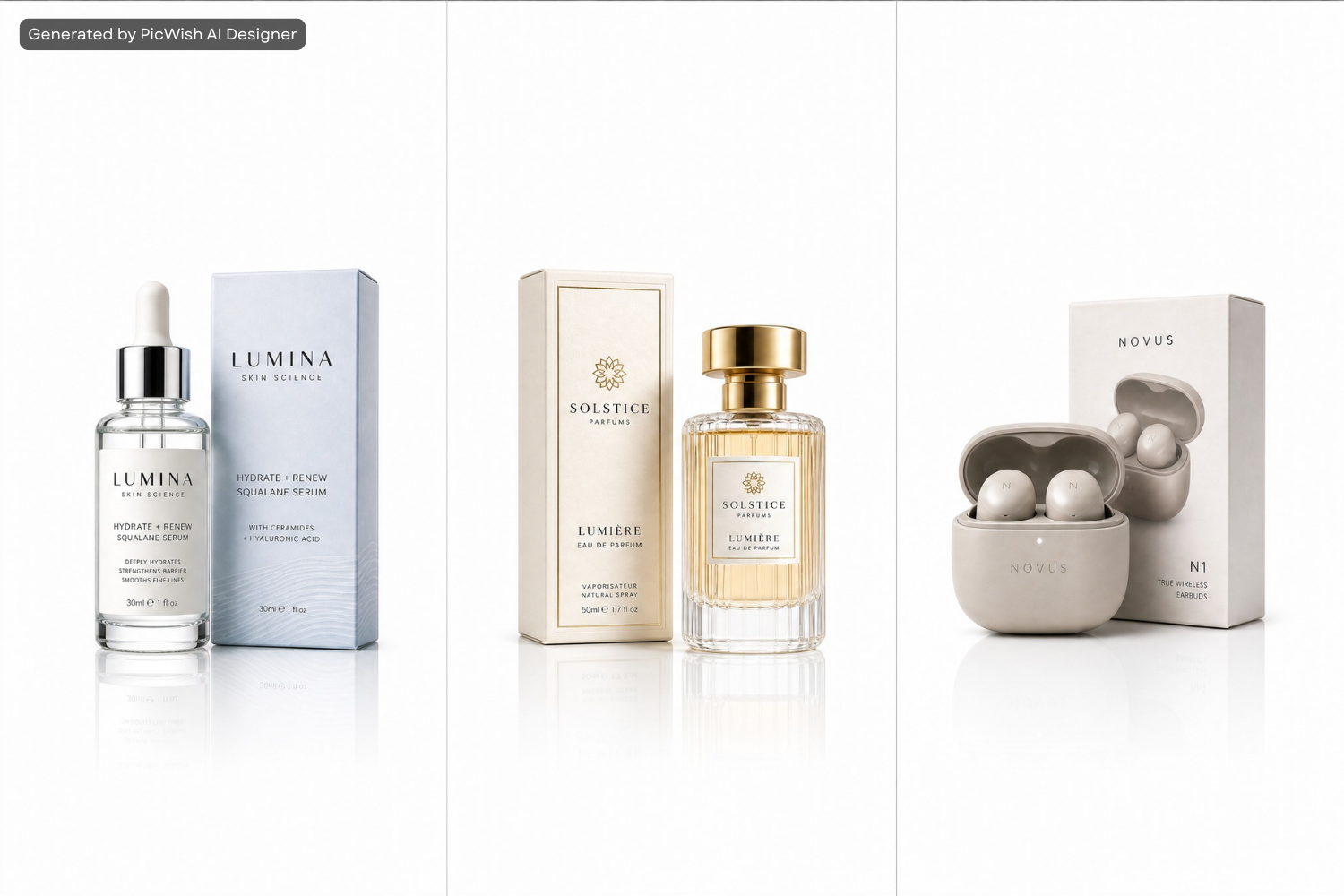
Product photography can be adapted into different ecommerce visuals, including:
- Main product images
- Supporting product images
- Feature-focused visuals
- Lifestyle scenes
A clean, product-focused composition may work well for a primary listing image, while a lifestyle scene can show the product in a more contextual environment. When creating visuals for a specific marketplace, always check its image requirements before publishing.
2. Turn Product Images Into Social Media Content![repurpose as social media content]()

One of the most useful ways to repurpose product photos for social media is to create different visual concepts from the same product reference.
For example, a product image can become:
- Product announcement posts
- Lifestyle content
- Promotional graphics
- Feature-focused posts
- Seasonal content
- Social media advertisements
This is particularly useful for product image to social media content workflows because the original product photo doesn’t have to look exactly the same in every post.
3. Create Stories and Short-Form Visuals![repurpose as short form visual]()

Stories and other short-form content often require vertical compositions. Instead of simply stretching or cropping the original image, create a visual specifically suited to the format.
Consider:
- Vertical framing
- Product placement
- Background
- Text space
- Promotional messaging
This allows one product photo to support additional short-form content without making every visual look identical.
4. Create Website Banners and Hero Images![repurpose as website banner]()

Product images can also be adapted for website layouts.
Possible uses include:
- Homepage hero sections
- Promotional banners
- Landing pages
- Category headers
- Product campaign pages
For wider layouts, consider where headlines, buttons, and other website elements will appear. Positioning the product to one side can leave negative space for text without covering the main subject.
5. Create Digital Advertisements![repurpose as digital advertisement]()

You can also repurpose product photos for marketing campaigns and advertisements.
Create variations for:
- Product launches
- Seasonal promotions
- Sales
- Special offers
- Retargeting campaigns
The creative direction can change depending on the campaign. For example, a premium product might use an elegant studio scene for a brand advertisement, while a seasonal promotion could place the same product in a themed environment.
6. Create Email Marketing Visuals![repurpose as email marketing]()

Email campaigns can also benefit from repurposed product photography.
Use product visuals for:
- New-product announcements
- Seasonal promotions
- Product recommendations
- Special offers
- Campaign newsletters
A different scene can help each campaign feel visually distinct while keeping the featured product recognizable.
How to Repurpose Product Photos With PicWish AI Designer
PicWish AI Designer can help turn an existing product image into different visual concepts by using prompts to describe what you want to create. Instead of generating the same type of product scene repeatedly, you can customize the prompt according to the purpose of the new image.
I. Upload Your Original Product Photo
Start with a clear product image and use it as your reference. Choose an image that clearly shows the product’s important characteristics, including its shape, color, packaging, and distinctive details.
II. Decide Where You Want to Use the Image
Before writing a prompt, identify the purpose of the new visual.
For example:
- Social media post
- Digital advertisement
- Website banner
- Email campaign
- Ecommerce visual
- Seasonal promotion
Knowing the intended use makes it easier to describe the right creative direction.
III. Write a Purpose-Specific Prompt
Use the prompt to tell the AI Designer what you want the product image to become.
You can describe elements such as:
- Scene
- Background
- Composition
- Lighting
- Mood
- Visual style
- Product placement
- Intended marketing use
For example, if you want social media content, you could prompt:
Create a bright, modern lifestyle scene for a social media product post, with the product prominently displayed on a clean vanity table and soft natural lighting.
In an advertisement:
Create a premium advertising scene featuring this product with dramatic lighting, an elegant background, and negative space for promotional text.
For a website banner:
Create a wide website hero banner featuring this product on the right side, with clean negative space on the left for a headline and call-to-action.
In a seasonal campaign:
Create a warm Christmas-themed product scene with elegant holiday decorations while keeping the product’s original appearance.
The key idea is: the marketing purpose determines the prompt.
IV. Generate Different Versions From the Same Product Photo
Once you have your direction, create variations by changing elements such as:
- Backgrounds
- Environments
- Compositions
- Visual styles
- Lighting
- Marketing concepts
For example, the same skincare product could become a clean studio visual for an ecommerce page, a relaxing bathroom scene for social media, and a premium beauty advertisement for a paid campaign.
This allows you to repurpose product photos without making every marketing asset look like a simple copy of the original.
V. Keep the Product Consistent
Even when the creative direction changes, compare each result with the original product photo.
Check:
- Shape
- Color
- Logo
- Packaging
- Proportions
- Distinctive features
The surrounding scene can change, but the product should remain recognizable and accurate.
VI. Review, Select, and Export
Check each result against the original product photo and remove versions with inaccuracies or visual issues. Then select the images that best match their intended marketing purpose rather than simply choosing the most visually attractive result.
Assign the selected visuals to their intended channels:
- Ecommerce: Choose a clean, product-focused composition.
- Social media: Select an engaging lifestyle or creative scene.
- Ads: Use a composition that supports the promotional message.
- Website: Choose a layout with enough space for text and calls to action.
- Email: Select a scene that matches the campaign theme.
Finally, export the appropriate versions and keep them organized by channel.
Product Photo Repurposing Checklist
Before publishing a repurposed product image, check:
- Start with a high-quality source image ☐
- Identify the purpose of the new visual ☐
- Write a prompt suited to that purpose ☐
- Choose an appropriate scene and composition ☐
- Keep the product’s key details consistent ☐
- Adapt the format to the target channel ☐
- Keep branding consistent ☐
- Compare the result with the original product ☐
- Check the final image before publishing ☐
This process can help you create more useful variations instead of generating different images without a clear marketing purpose.
Key Takeaways
Product photo repurposing works best when each new visual has a specific purpose. Instead of using one image everywhere, adapt the scene, composition, format, and messaging to the channel while keeping the product itself consistent.
The basic process is:
- Start with one clear product reference
- Identify the marketing purpose
- Customize the prompt and composition
- Create multiple variations
- Check product consistency
- Choose the best version for each channel
- Export and organize the final assets
Conclusion
Repurposing product photos can help brands create more marketing content without starting from scratch for every campaign. By adapting the scene, composition, and format to each channel while keeping the product consistent, one image can support multiple marketing needs.
With PicWish AI Designer, you can use prompts to transform an existing product photo into purpose-specific visuals for ecommerce, social media, advertisements, websites, email campaigns, and more.



Leave a Comment